Settings
VoxTour.ai allows you to manage your account credentials, language preferences, and profile settings easily from the Settings menu.
Settings are available on both mobile and desktop, and the functionality is the same across platforms.
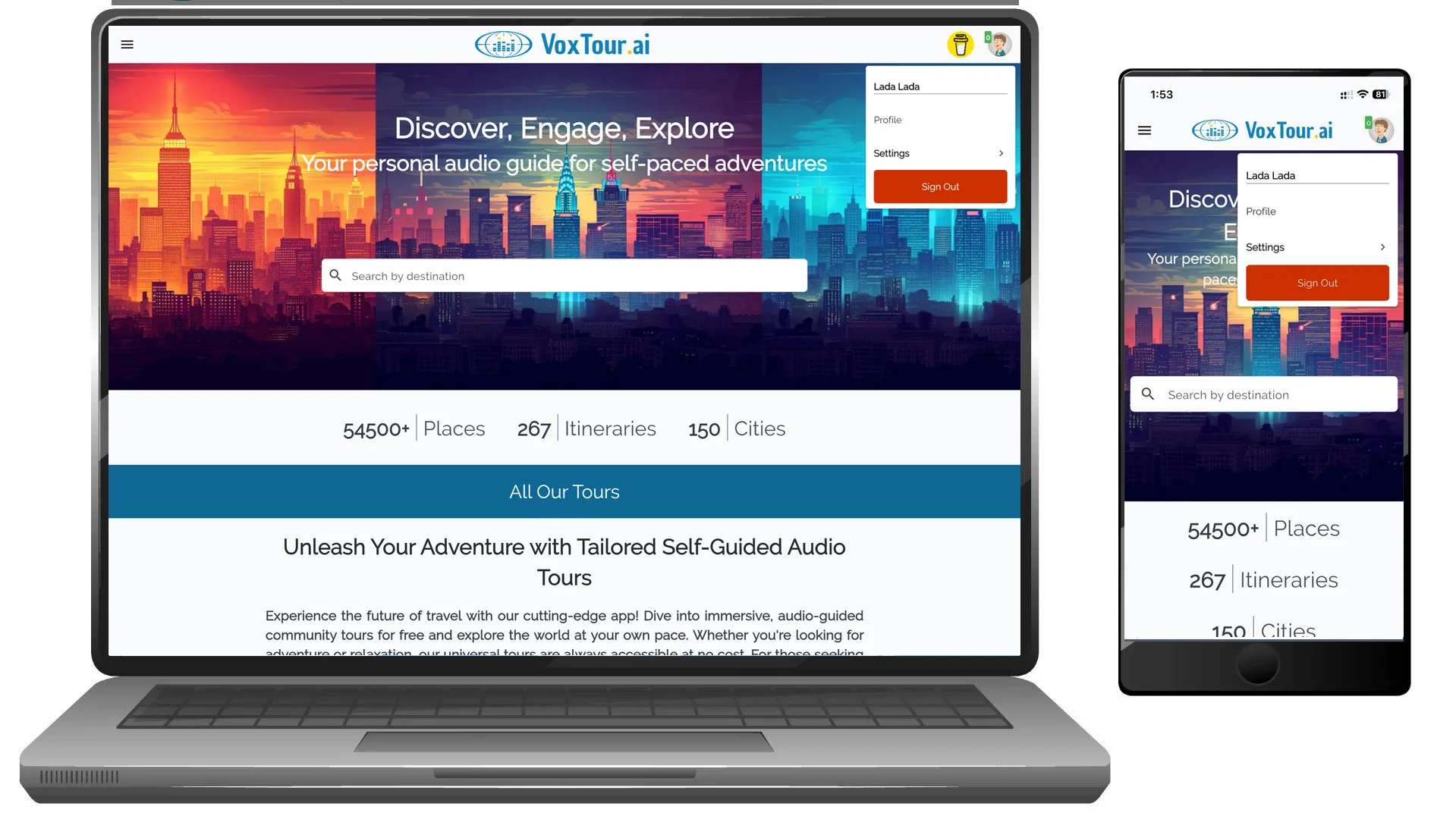
Step 1: Open Settings
On mobile:
- Tap your profile avatar in the top-right corner.
- Tap Settings.
On desktop:
- Click your profile avatar in the top-right corner.
- Select Settings from the dropdown menu.
Step 2: Open General Settings
Inside the Settings menu, tap or click General.
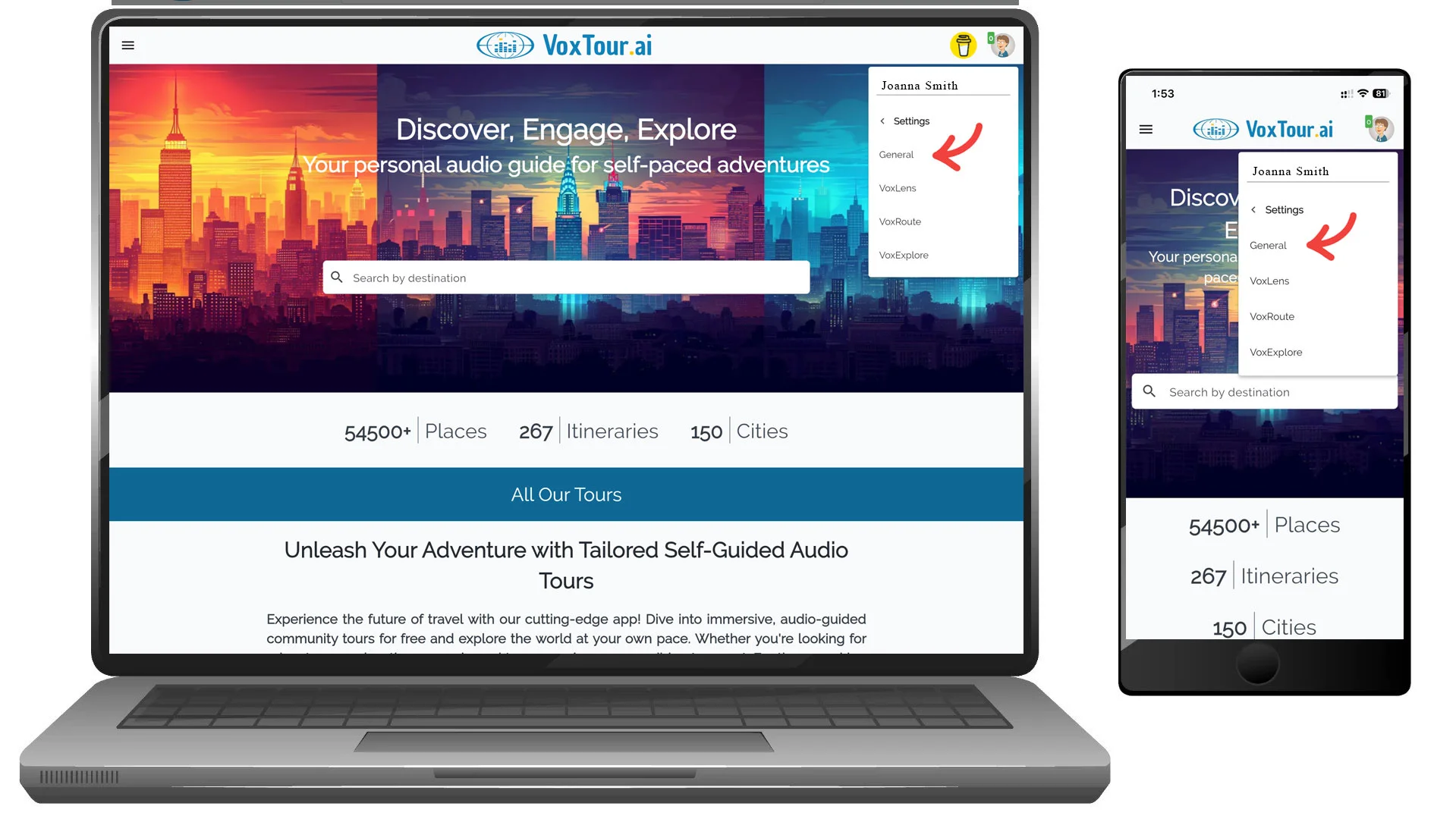
This section contains your account credentials, language preferences, and account management options.
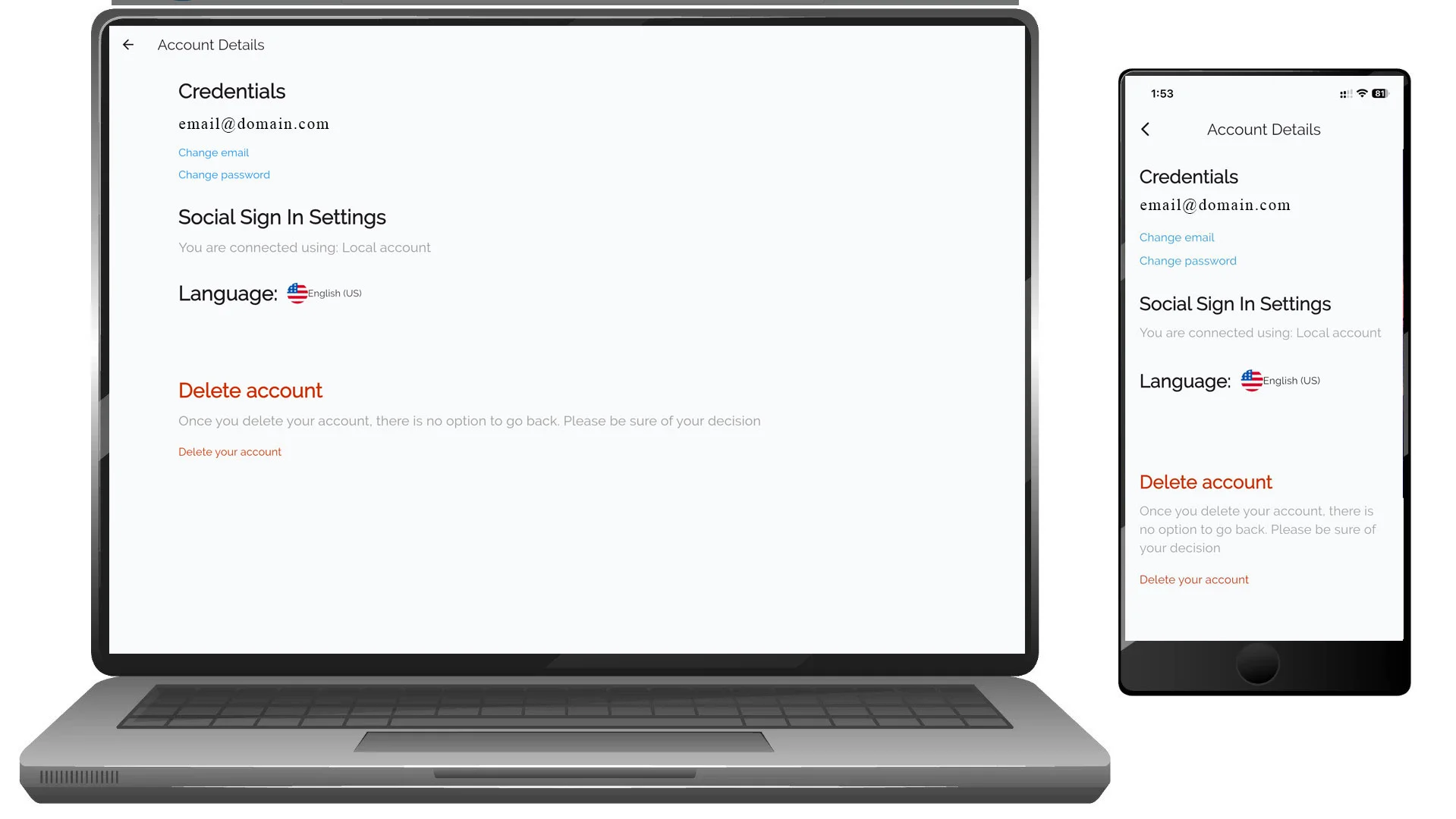
Credentials
The Credentials section displays your registered email address and allows you to update login details.
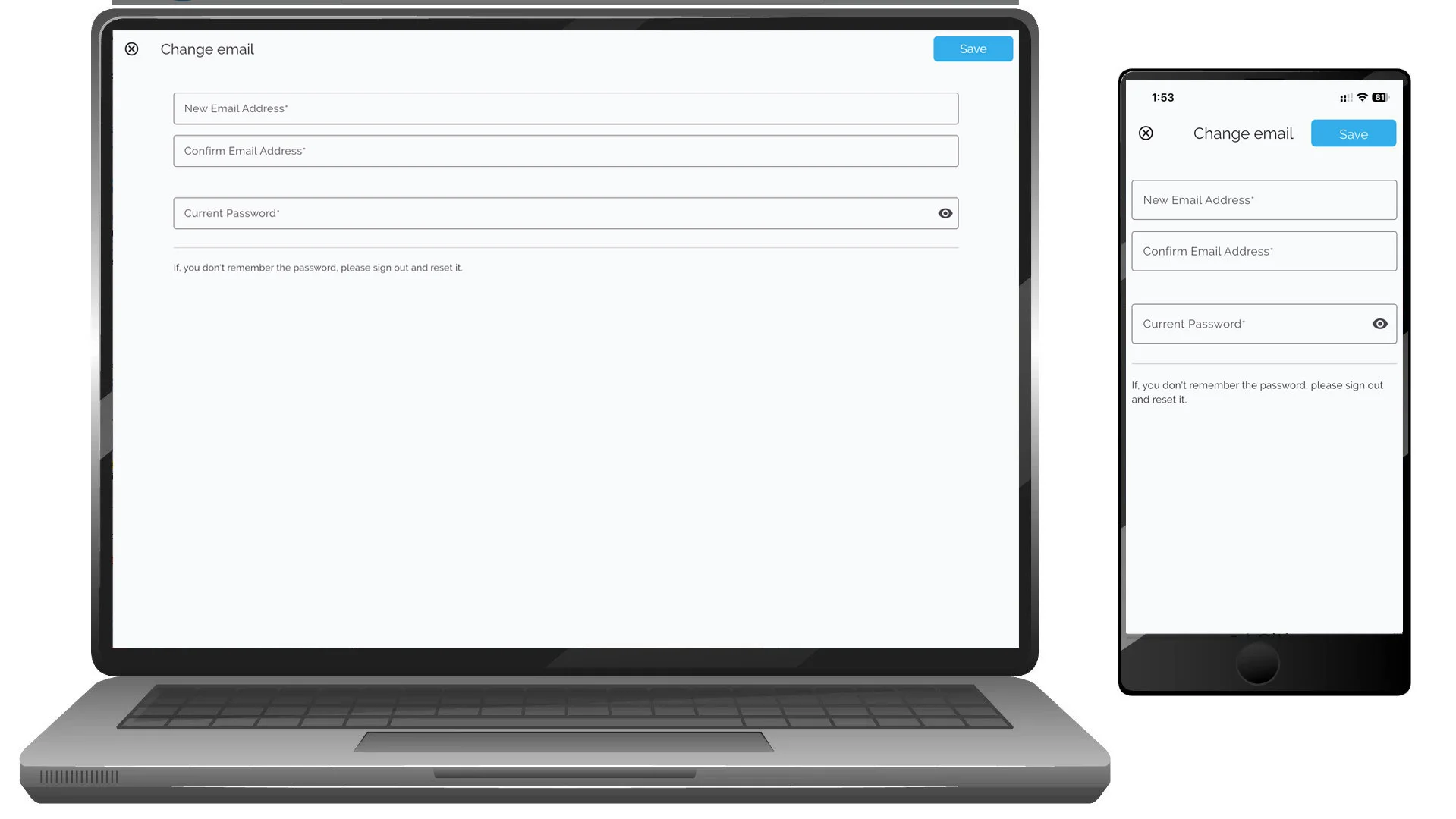
Change email address
- Tap or click Change email
- Enter:
- New email address
- Confirm email address
- Current password
- Tap or click Save
If you do not remember your password, sign out and use password reset.
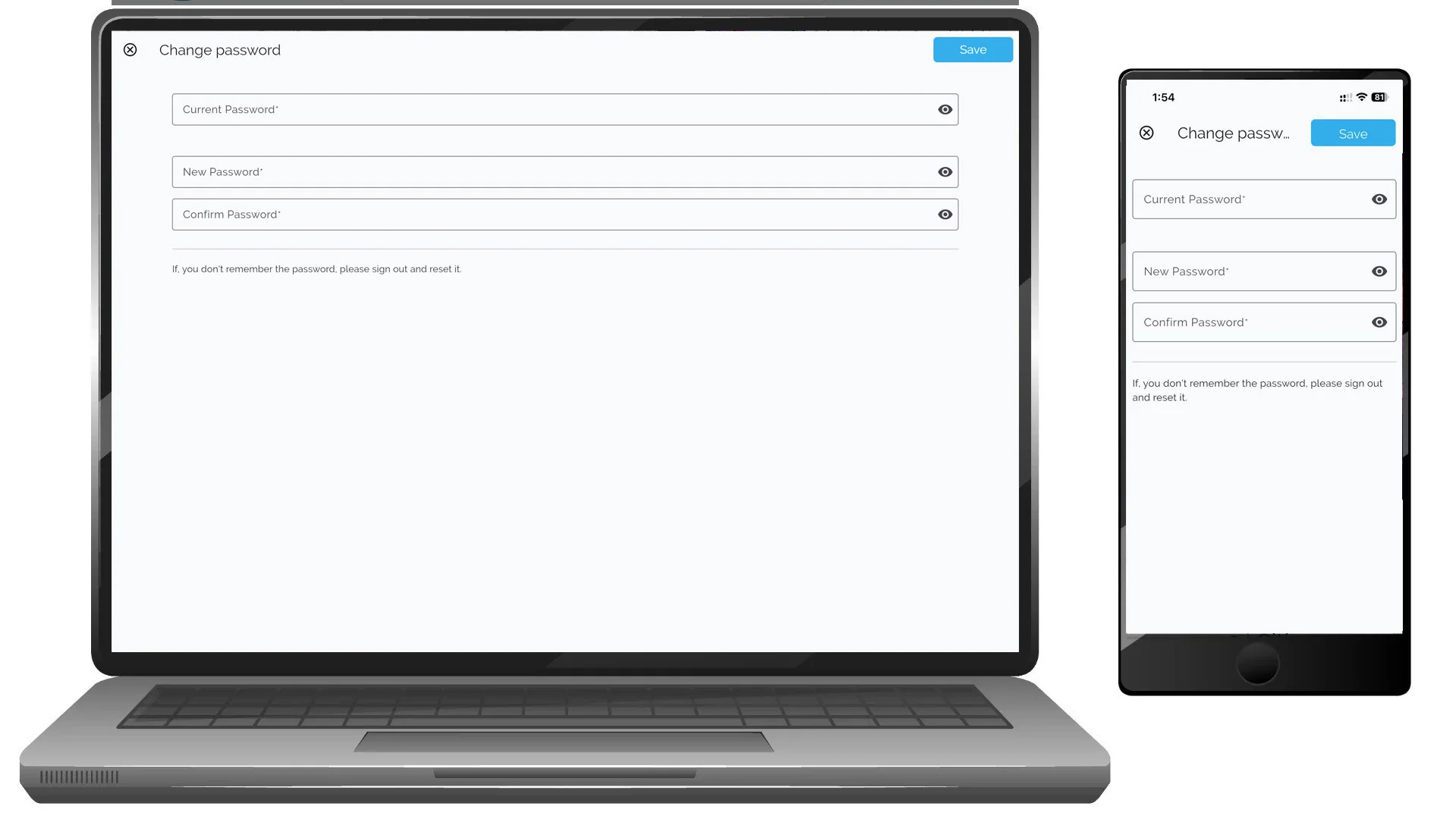
Change password
- Tap or click Change password
- Enter:
- Current password
- New password
- Confirm new password
- Tap or click Save
Social Sign-In Status
This section shows how your account is connected.
Example:
- Local account (email and password)
- Social login provider (if connected)
Language Preferences
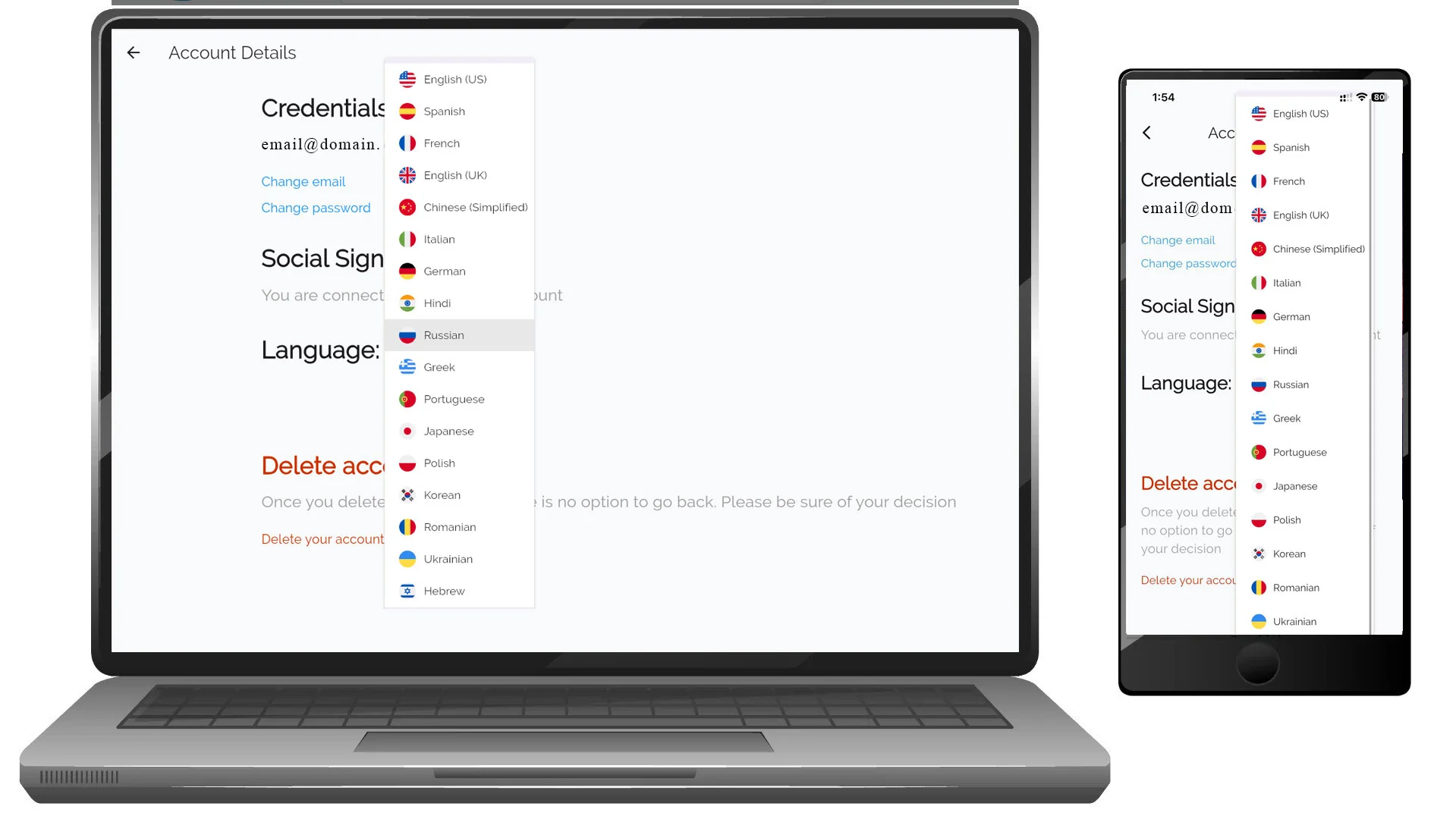
You can change your app interface language at any time.
To change language:
- Tap or click the current language
- Select a new language from the list
- The app updates automatically
Delete Account
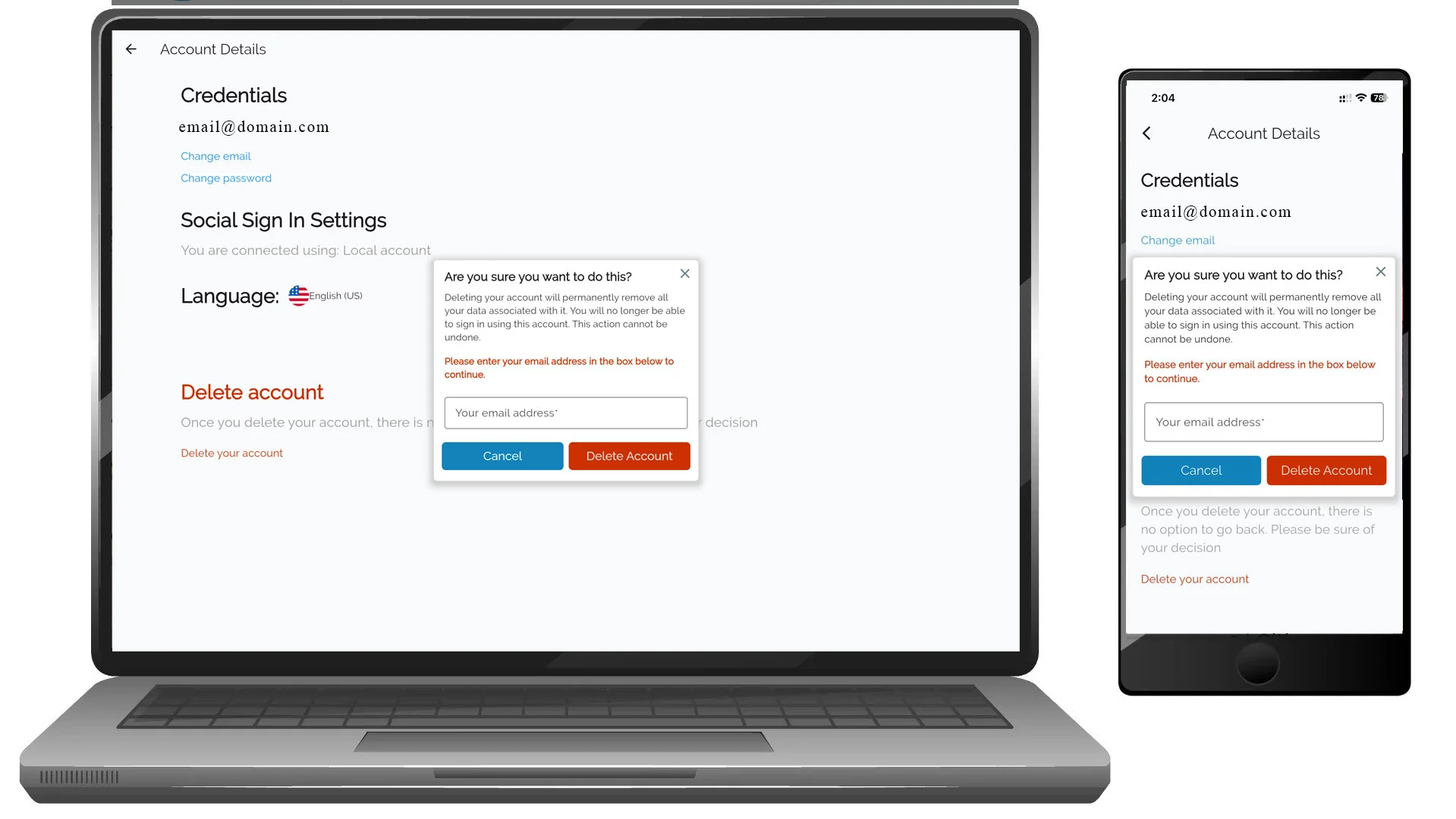
You can permanently delete your VoxTour.ai account from Settings.
⚠️ Deleting your account:
- Removes your account data permanently
- Cannot be undone
- May remove saved tours and preferences
To delete your account:
- Tap or click Delete your account
- Confirm your decision when prompted
Additional Settings Sections
Depending on your account and features enabled, you may also see:
- VoxLens – AI image recognition and storytelling settings
- VoxRoute – Tour and navigation preferences
- VoxExplore – Discovery and exploration settings
Tips
- Keep your email updated to ensure access recovery.
- Use a strong password for security.
- Set your preferred language before starting tours for the best experience.