User Guide
Getting Started
Getting Started
With VoxTour.ai, you can explore cities and discover available tours before signing in.
To start listening to audio stories, a quick sign-in is required.
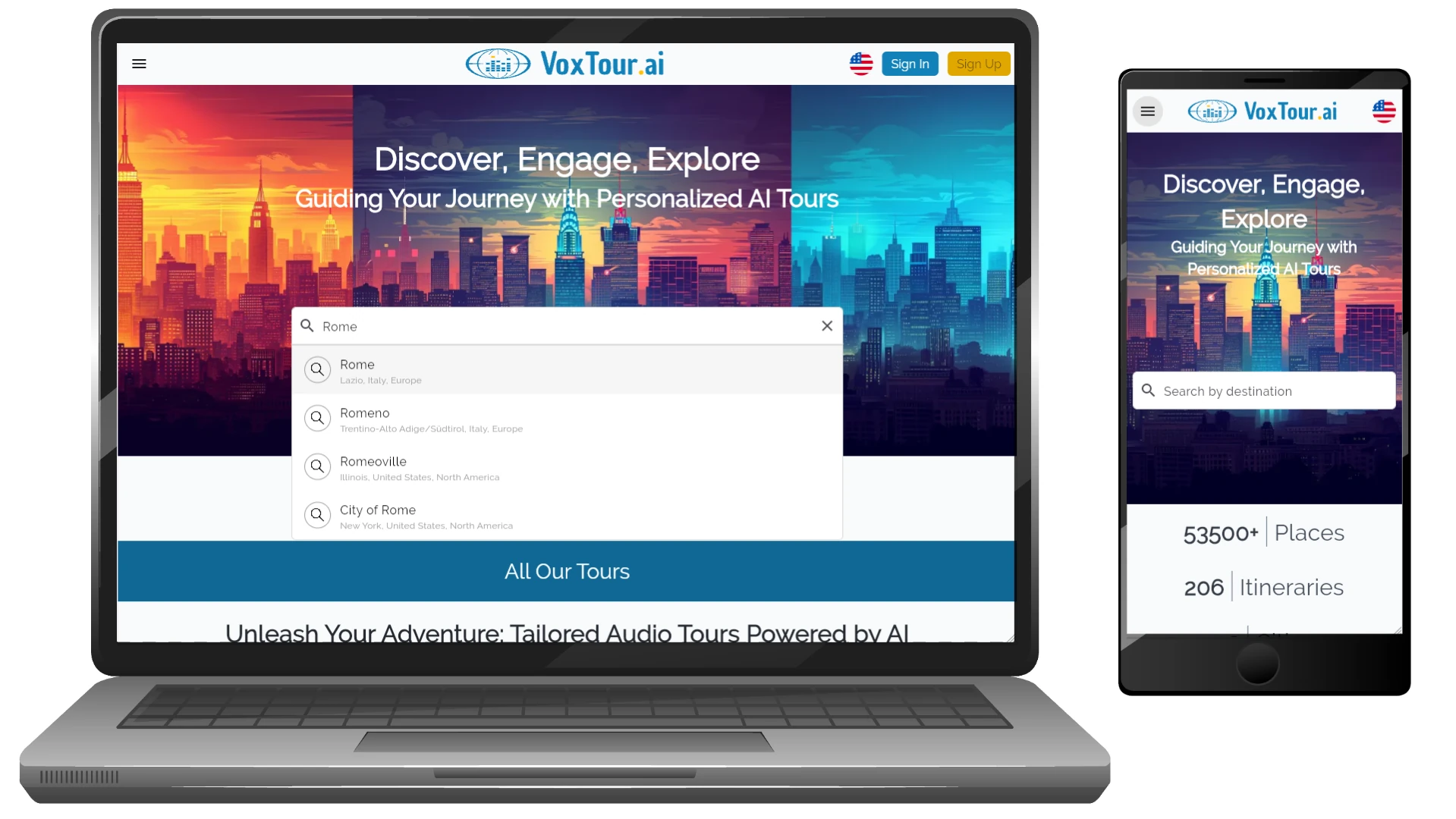
Step 1: Find your city
Use the search bar or browse the map to select a city you’re interested in.
You’ll see a map with audio points and available tours.
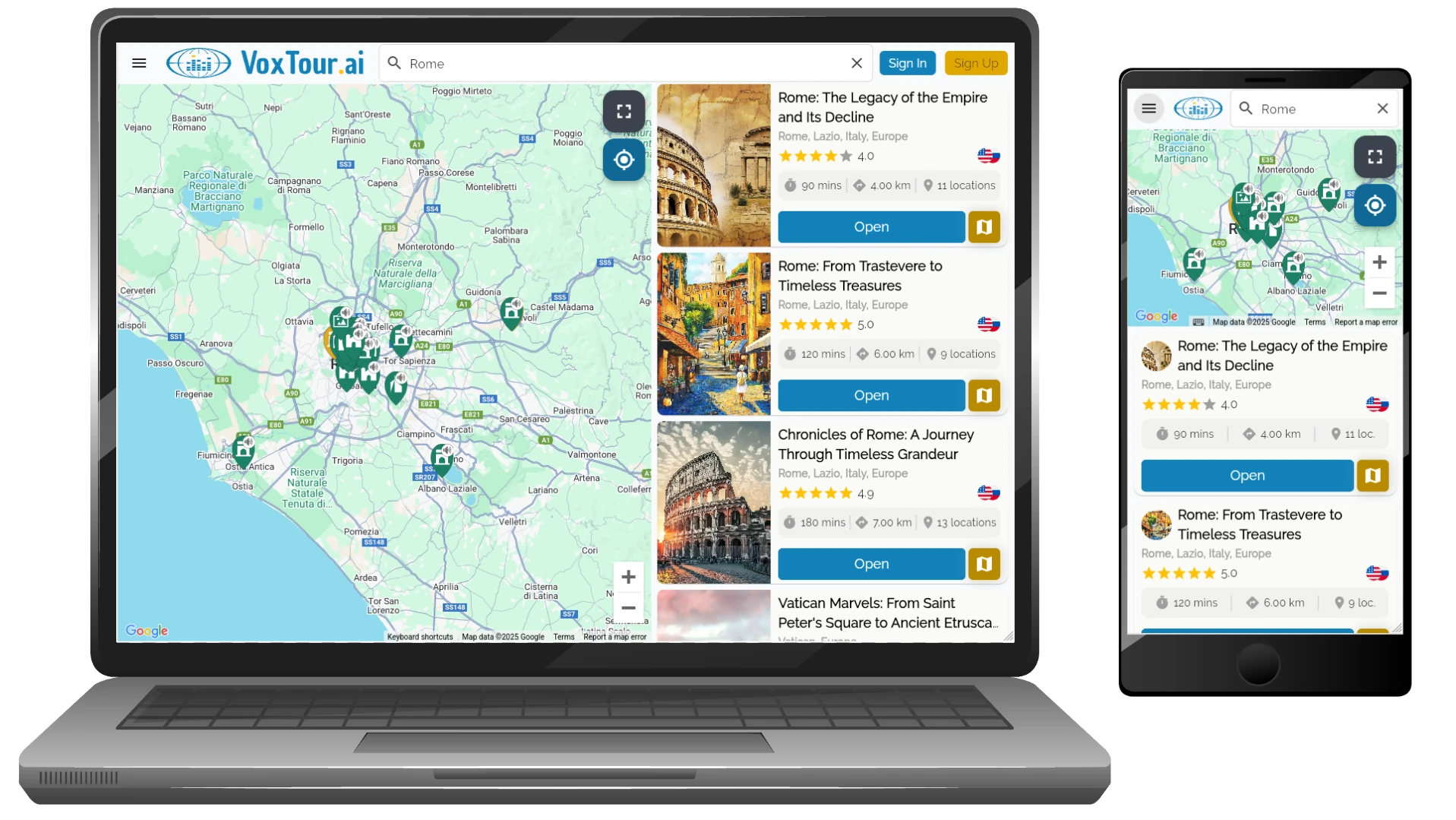
Step 2: Explore the map
Tap on any point or tour to preview what’s available.
You can freely explore the map and see tour details without logging in.
Step 3: Sign in to listen
When you’re ready to listen, sign in or create an account.
This unlocks audio playback and lets you save your progress and favorites.
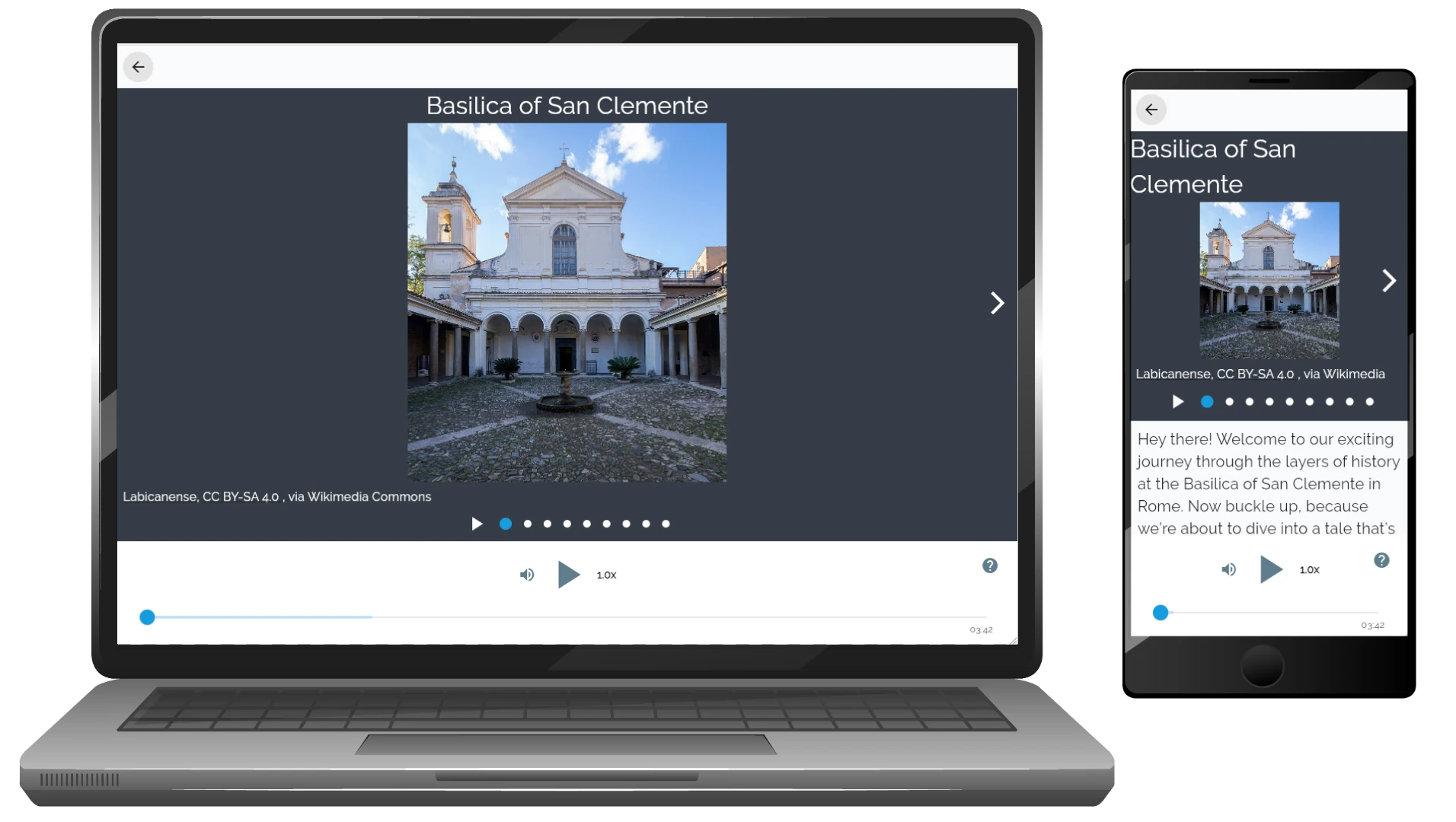
Step 4: Press Play
Select a tour or an individual audio point and tap Play ▶️.
Listen at your own pace in any order, wherever you are.
Tip:
Most tours are available in multiple languages. You can choose the tour language before starting playback. For the best experience, use headphones and download tours in advance if you plan to listen offline.

Sign Up & Sign In
How to create an account (Sign up)
Creating an account in VoxTour.ai is quick and only takes a few steps.
An account is required to start listening to audio tours.
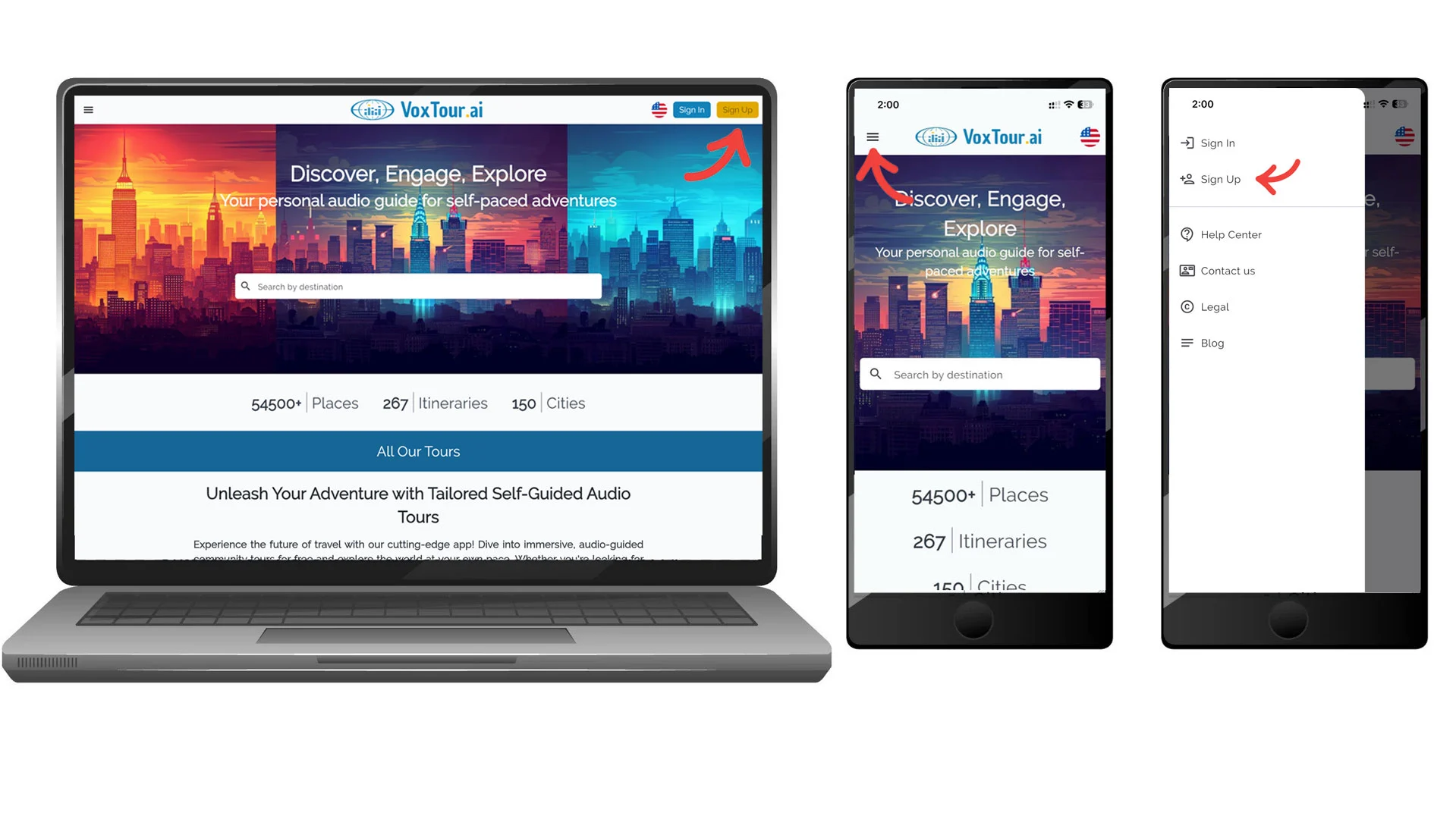
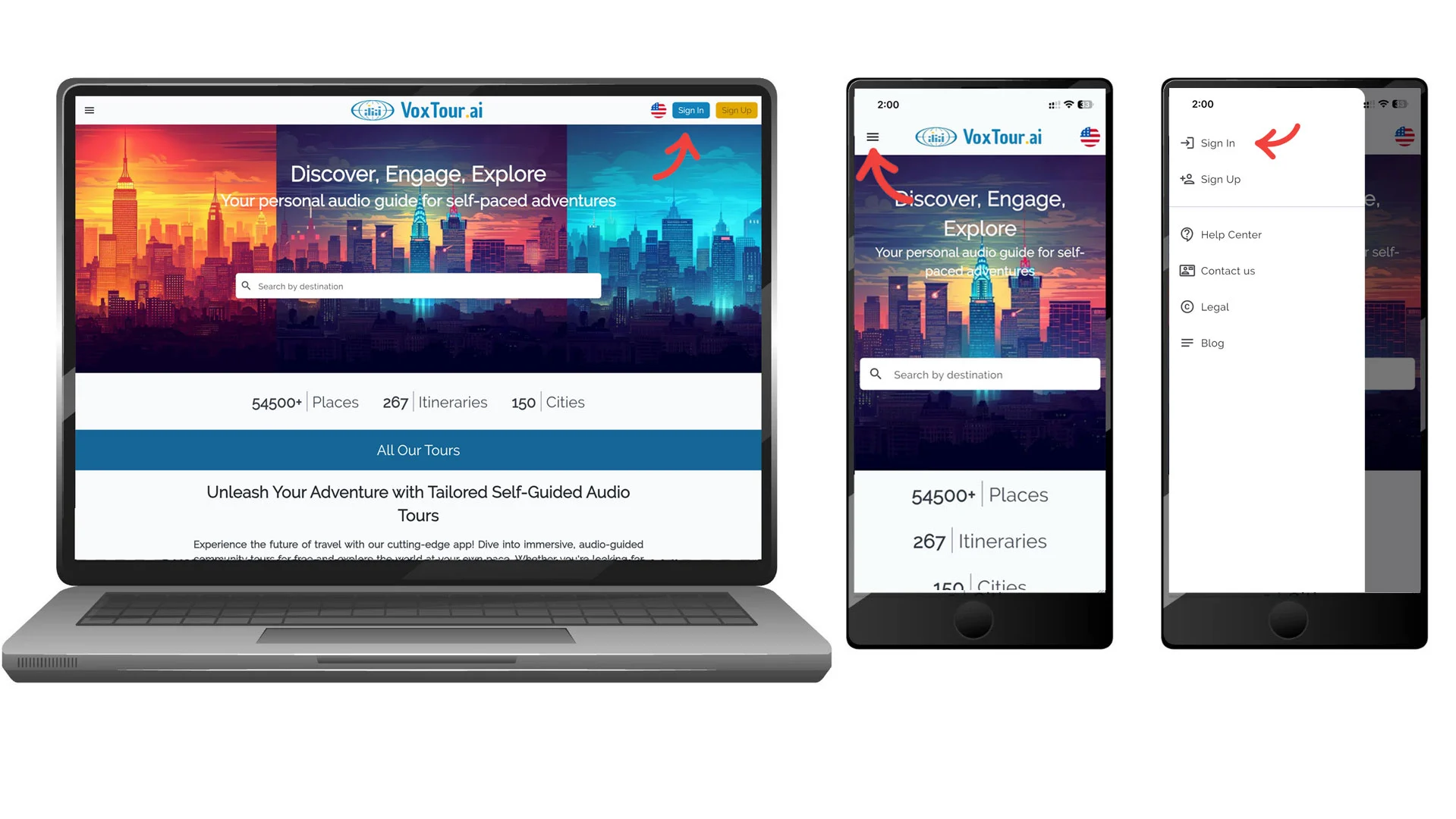
Step 1: Open the sign-up page
On mobile:
From the home screen, tap the menu icon ☰ in the top corner and select Sign Up.
On desktop:
On the home page, click Sign Up in the top-right corner of the screen.
Step 2: Enter your details
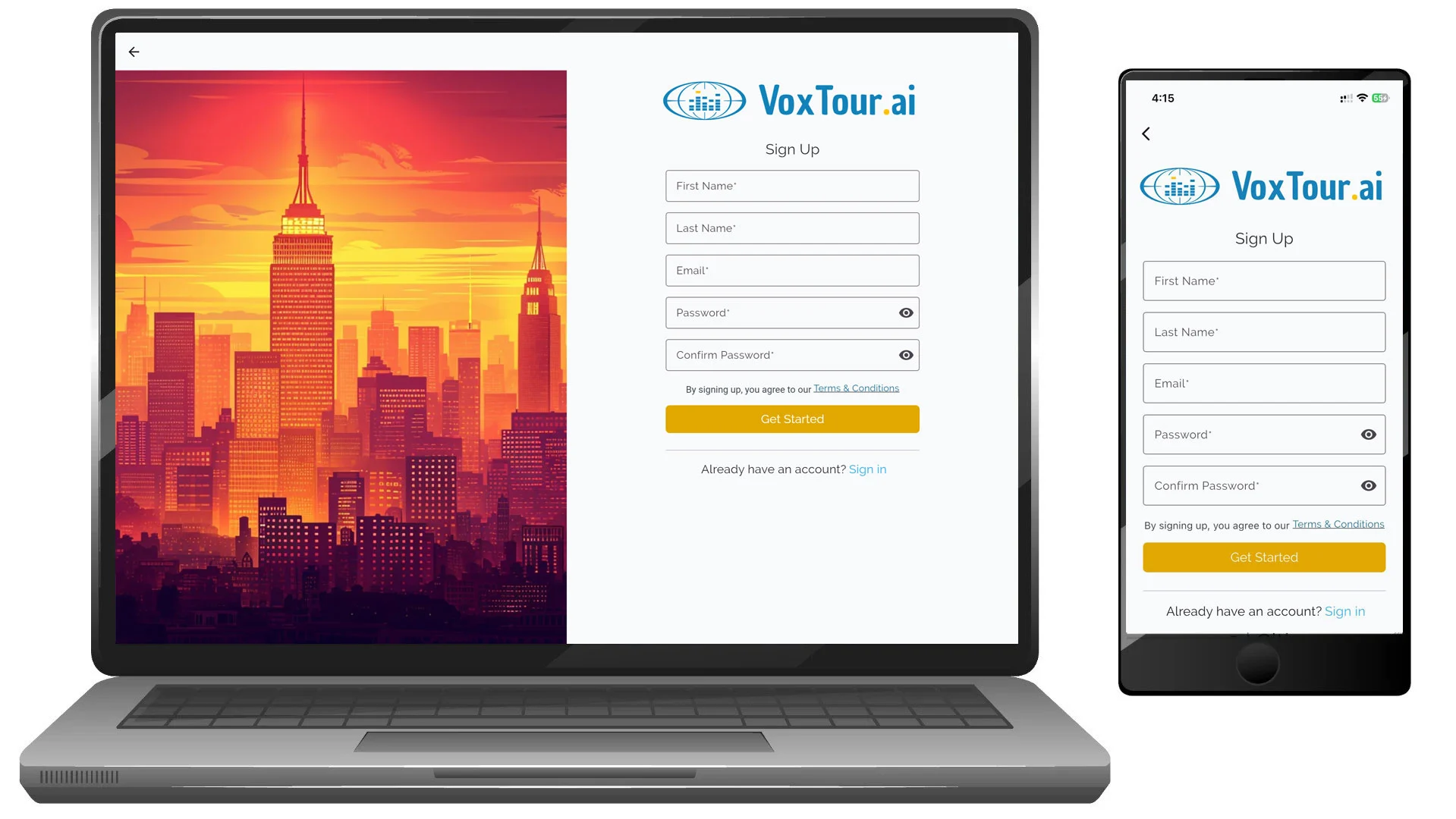
To create a new account, sign up using your email address.
Fill in the following fields:
- First name
- Last name
- Email address
- Password
- Confirm password
Make sure your email address is correct — it will be used to verify your account.
When finished, tap or click Get Started.
Step 3: Verify your email address
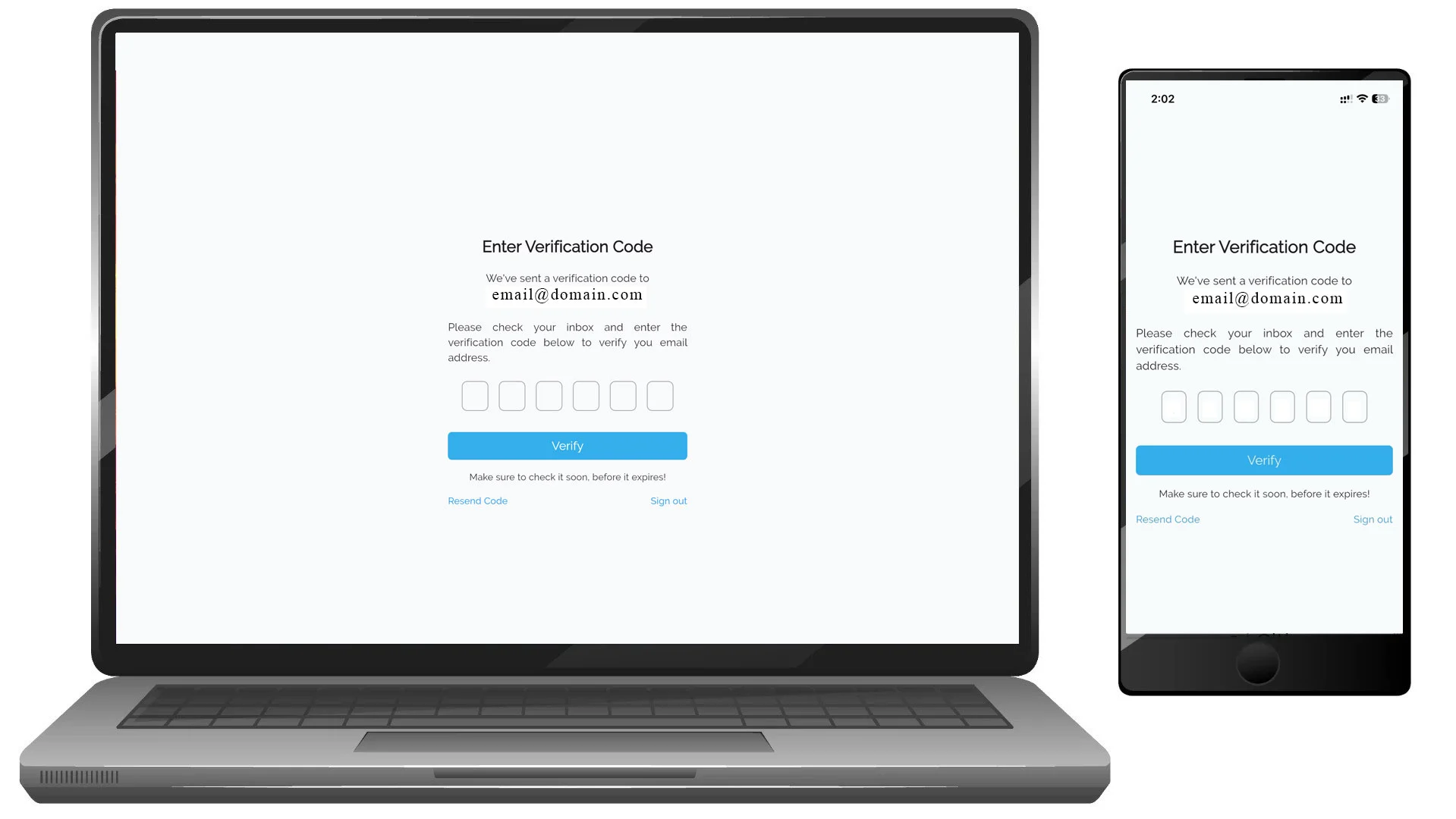
After submitting the form, VoxTour.ai will send a 6-digit verification code to your email address.
On mobile and desktop:
- Check your inbox for the verification email.
- Enter the verification code on the screen.
- Tap or click Verify.
If you don’t see the email, check your spam folder or select Resend Code.
Step 4: Account created
Once your email is verified, your account is ready to use.
You can now:
- Sign in to your account
- Start listening to audio tours
- Save your progress
- Add places and tours to your favorites
Note:
Google and Apple are available for sign in only.
If you already have an account, choose Sign In instead of creating a new one.
How to sign in
If you already have a VoxTour.ai account, you can sign in using your email and password or a supported third-party option, depending on your device.
Step 1: Open the sign-in page
On mobile:
From the home screen, tap the menu icon ☰ and select Sign In.
On desktop:
On the home page, click Sign In in the top-right corner of the screen.
Step 2: Choose how to sign in
VoxTour.ai offers different sign-in options depending on your platform.
On desktop (web)
You can sign in using:
- Email and password
Enter your email and password, then click Sign in,
or select Continue with Google.
On iPhone (iOS app)
You can sign in using:
- Email and password
- Apple
Choose your preferred option:
- Enter your email and password and tap Sign in
- Or tap Continue with Apple
- Or tap Continue with Google
On Android (app)
You can sign in using:
- Email and password
Enter your email and password and tap Sign in,
or tap Continue with Google.

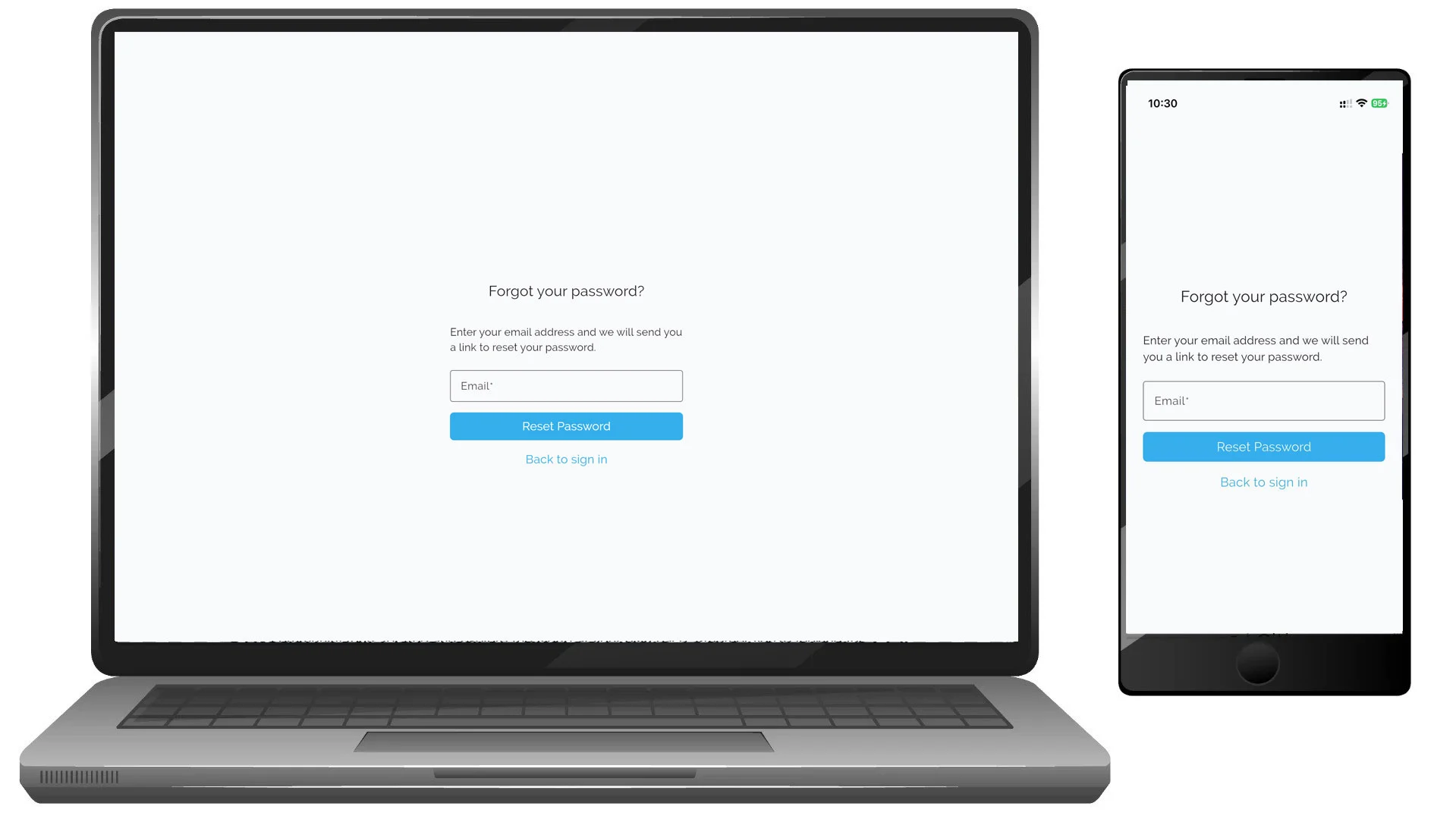
Step 3: Forgot your password?
If you don’t remember your password:
- Select Did you forget your password?
- Enter your email address
- Follow the instructions sent to your email to reset your password
Step 4: Signed in and ready to go
Once signed in, you can:
- Start listening to audio tours
- Continue where you left off
- Save your favorite places and tours
- Access your account across devices
Note:
If you don’t have an account yet, select Sign up to create one.
Find Your City & Tours
Find Your City & Tours
VoxTour.ai lets you explore cities in a flexible way.
You can discover curated tours or explore individual points of interest (POIs) directly from the map.
You can browse cities, tours, and places without signing in.
To listen to audio stories, you’ll need to sign in.
Step 1: Search for a city
On desktop:
On the home page, use the Search by destination field to enter a city name (for example, Rome or Paris), then select it from the results.
On mobile:
Tap the search field, type a city name, and select it from the list.
Step 2: Explore the city map
After selecting a city, you’ll see:
- a map with numbered and icon-based POIs
- a list of available tours for that city
The map and the tour list work together, you can explore visually or browse tours first.
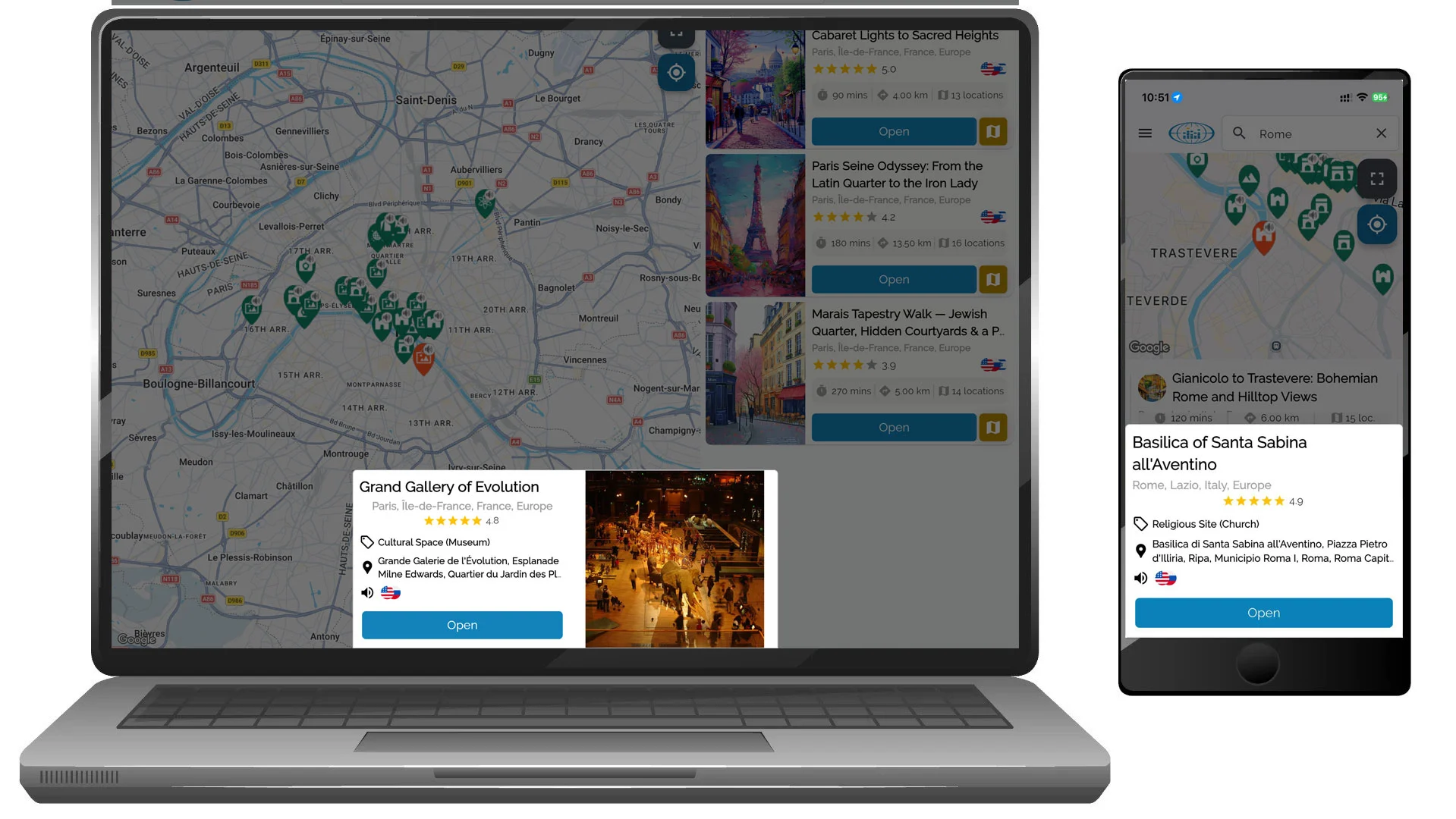
Step 3: Explore individual places (POIs)
You don’t have to follow a tour to explore.
Tap or click any POI icon on the map to open a place preview.
Each POI preview shows:
- place name and category
- rating (if available)
- available audio languages
- a short description
This is ideal if you want to:
- explore freely
- listen only to places nearby
- stop and play audio whenever something catches your eye
Step 4: Browse tours in the list
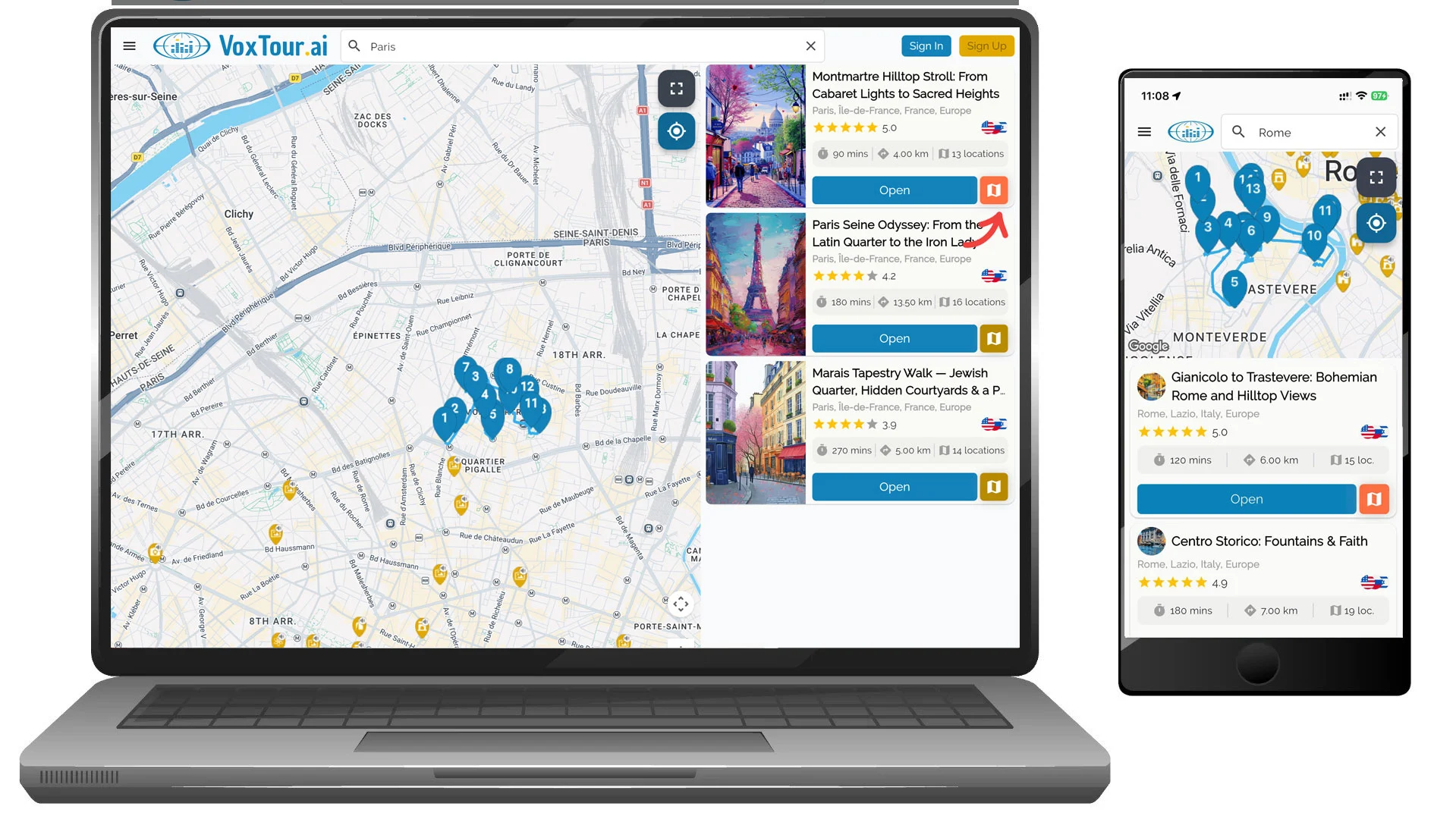
The tour list shows curated routes created to help you explore a city around a theme or area.
Each tour card includes:
- Tour title
- Rating
- Estimated duration
- Total distance
- Number of stops (locations)
These details help you quickly compare tours and choose one that fits your time and walking preferences.
Step 5: Check available languages
Next to the tour rating, you may see one or more language icons (for example 🇺🇸 🇫🇷 🇮🇹).
These icons indicate the languages in which the tour audio is available.
Choose a tour that matches the language you want to listen in.
Step 6: Preview the tour route on the map
Tours include a route icon (map/book icon) next to the Open button.
Tap or click this icon to:
- display the full tour route on the map
- see how all tour stops are connected
- understand the walking path before starting
This is helpful if you want to check distances, walking direction, or how the tour fits into your plans.
Step 7: Open a tour
Select Open to view the full tour page.
From there, you can:
- see all included locations
- check detailed tour information
- choose your listening language
- start the tour after signing in
Choose how you want to explore
With VoxTour.ai, you can:
- follow a complete tour from start to finish
- listen to individual POIs in any order
- combine both approaches depending on your mood and time
Tip:
If you’re short on time, explore nearby POIs.
If you want a deeper, guided experience, choose a tour and follow its route at your own pace.
Start & Listen to a Tour
Start & Listen to a Tour
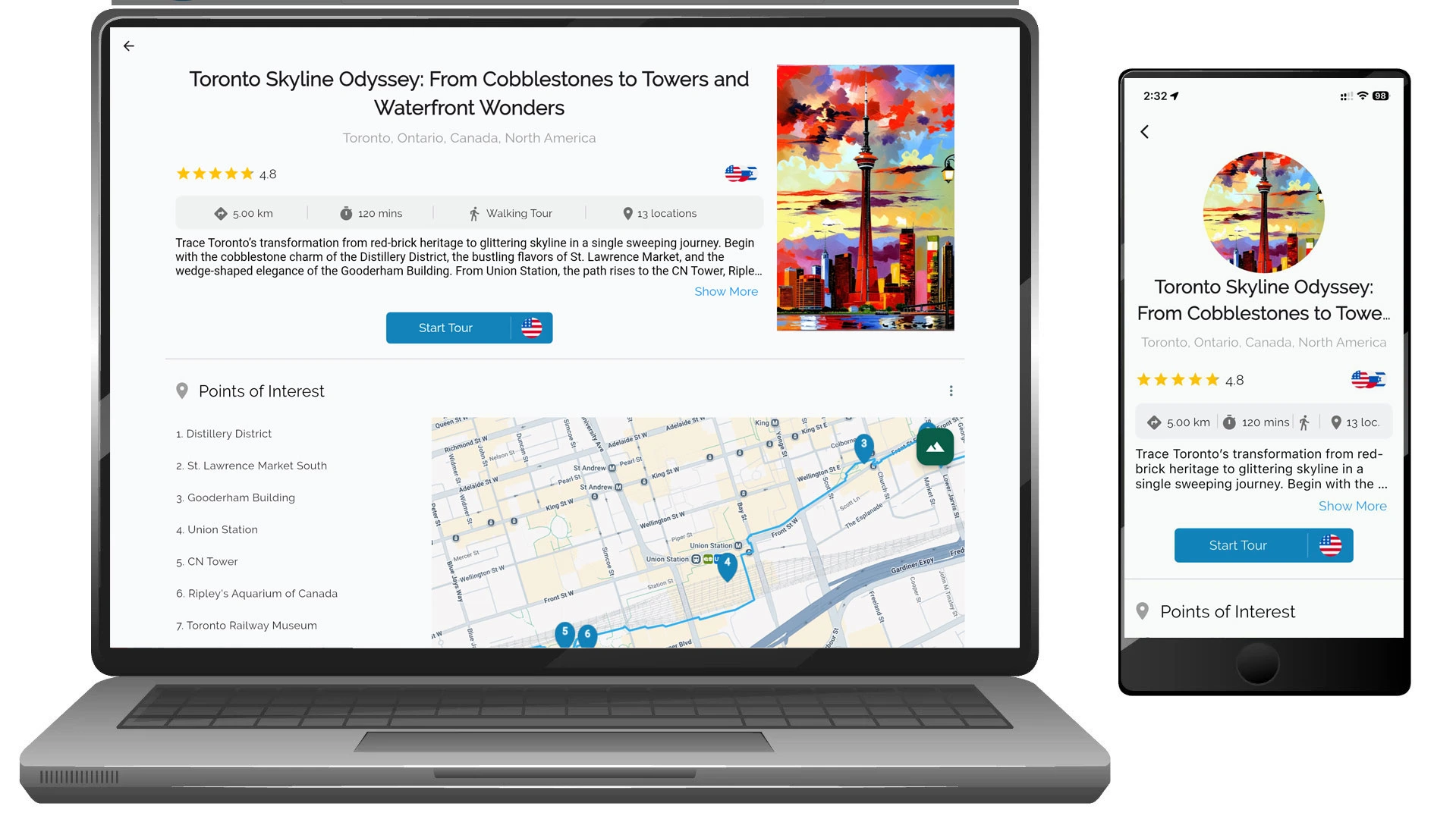
Once you choose a tour, VoxTour.ai makes it easy to preview the route, review stops, and start listening at your own pace.
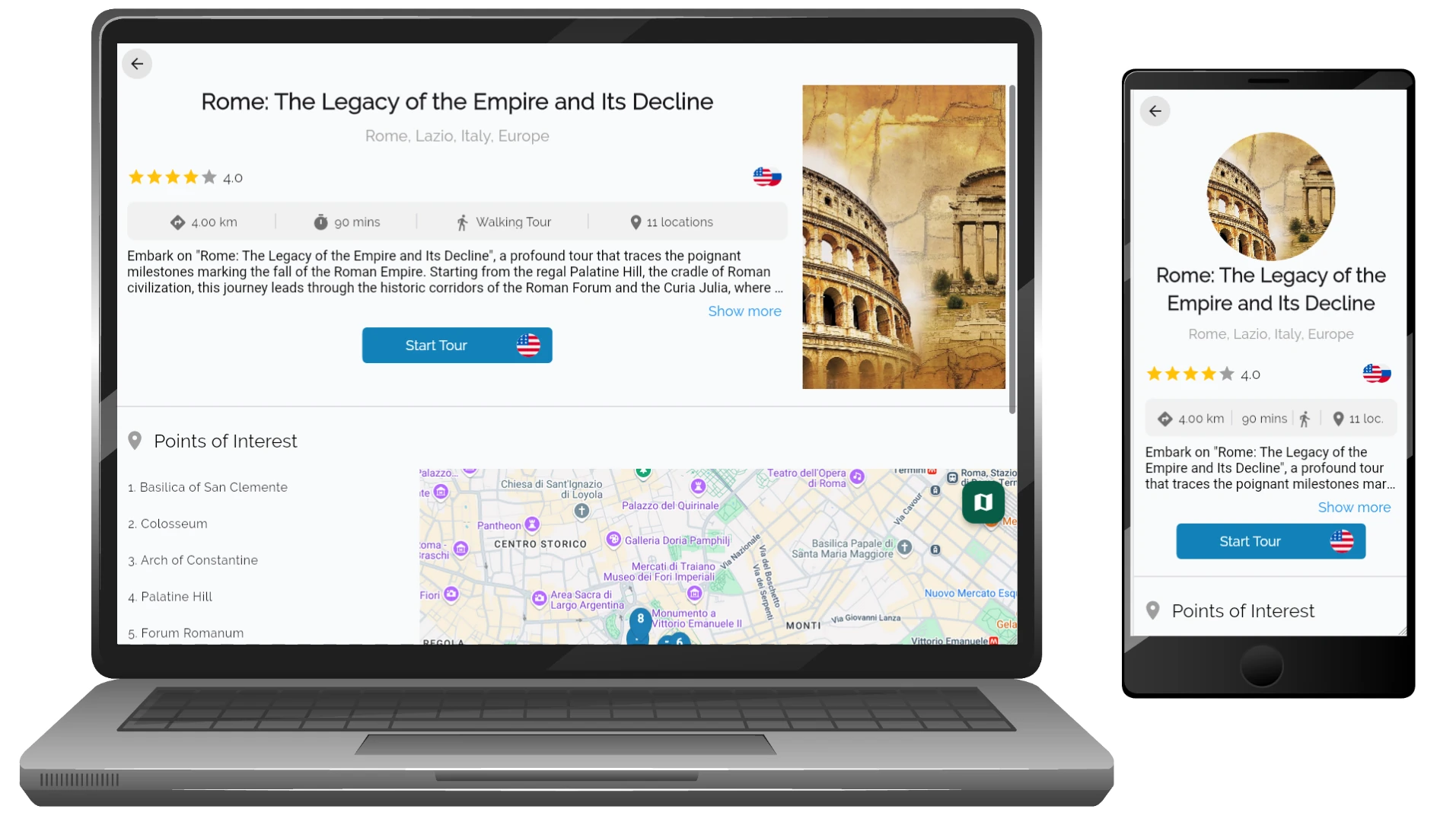
Step 1: Open the tour page
From the city screen, tap or click Open on any tour card.
The tour page shows:
- Tour overview and description
- Rating and available audio languages
- Estimated walking distance and duration
- Number of included stops
- Full list of Points of Interest (POIs)
Step 2: Choose your listening language
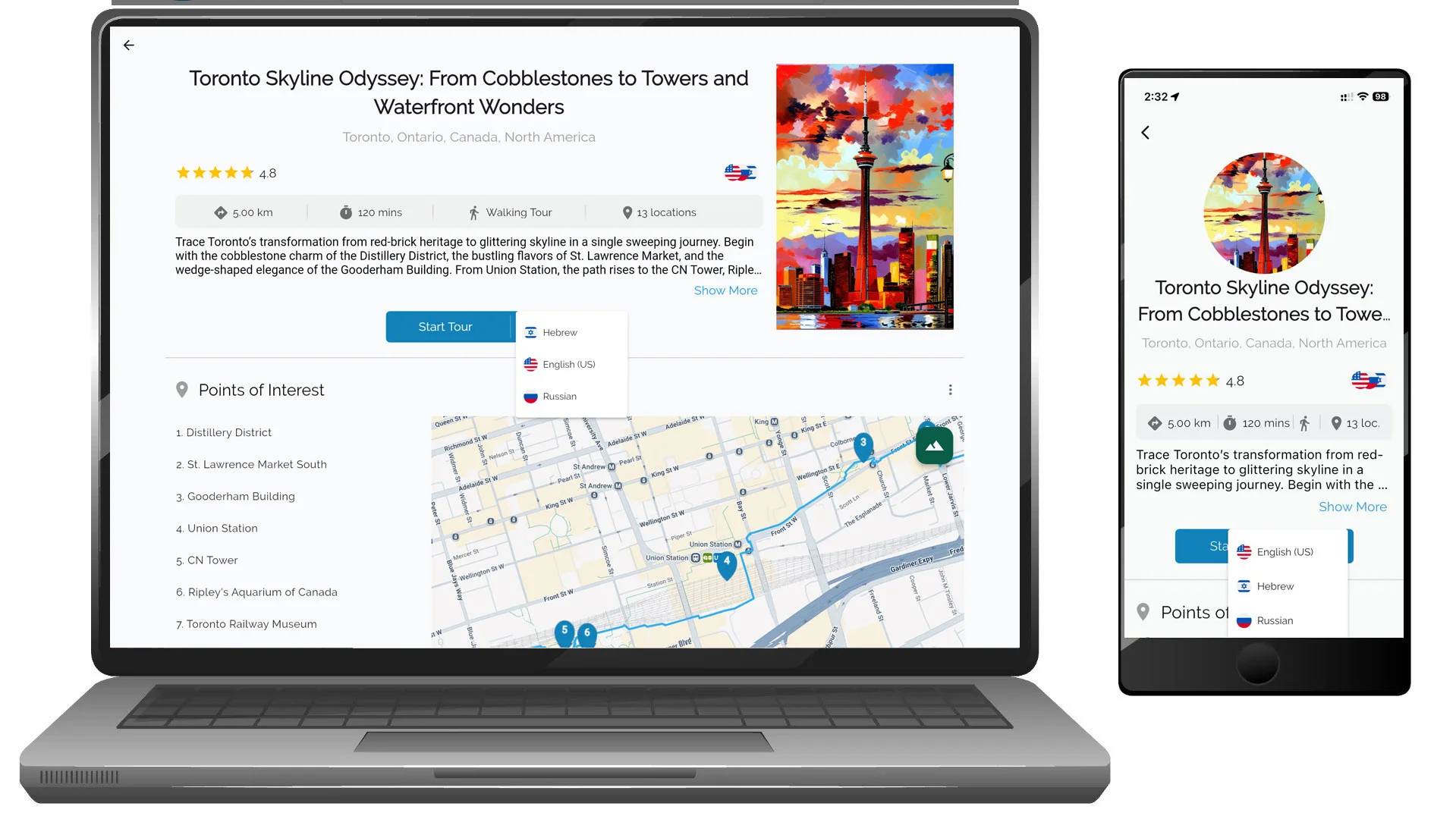
On the tour page, select your preferred audio language.
Tap or click the language selector next to the Start Tour button.
Available languages may include English, Hebrew, Russian, and others depending on the tour.
Step 3: Open a tour and view stops
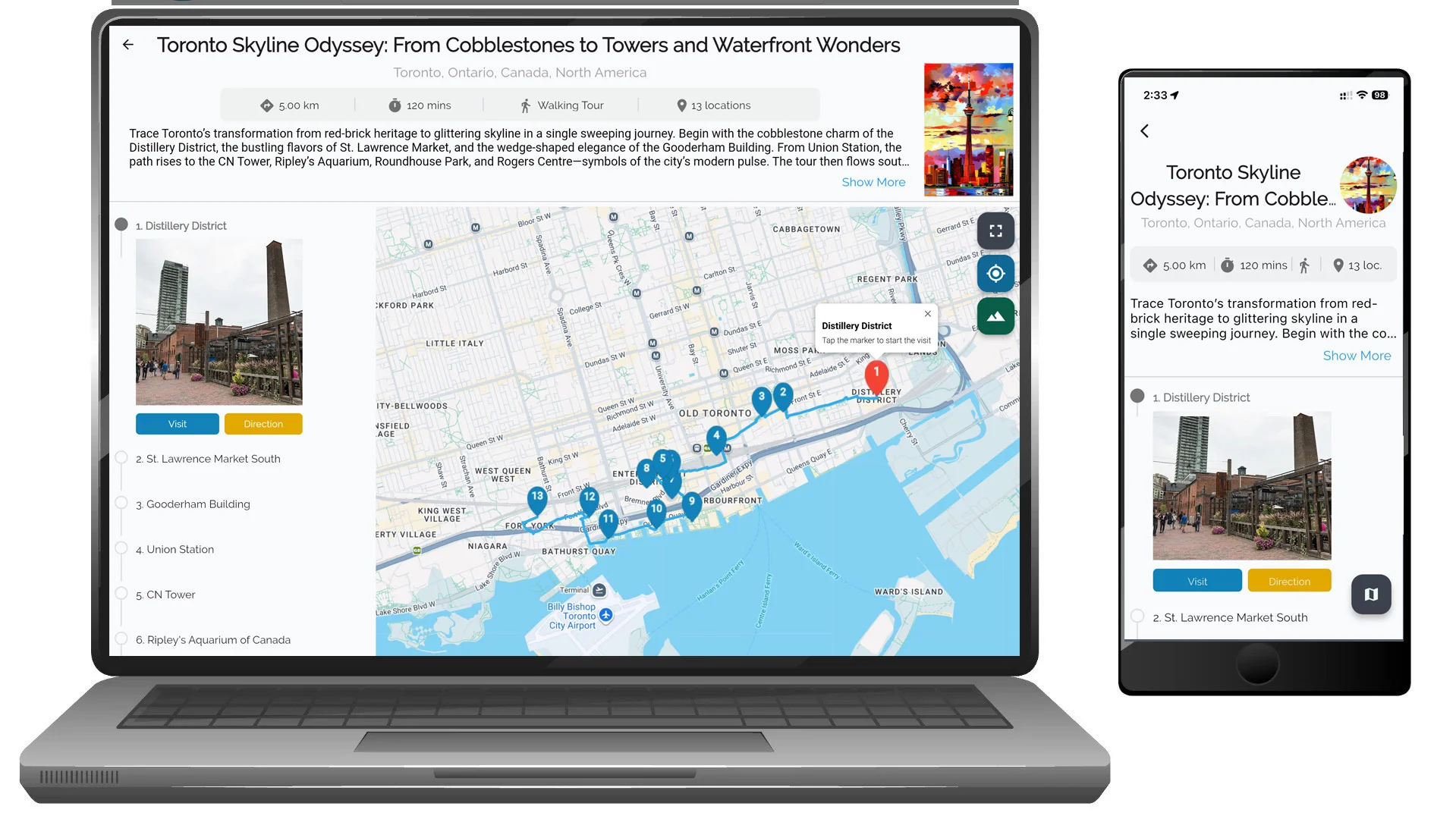
Tap or click Start Tour (or open a tour page).
If you are not signed in, VoxTour.ai will prompt you to sign in or create an account before continuing.
Opening a tour does not start audio automatically.
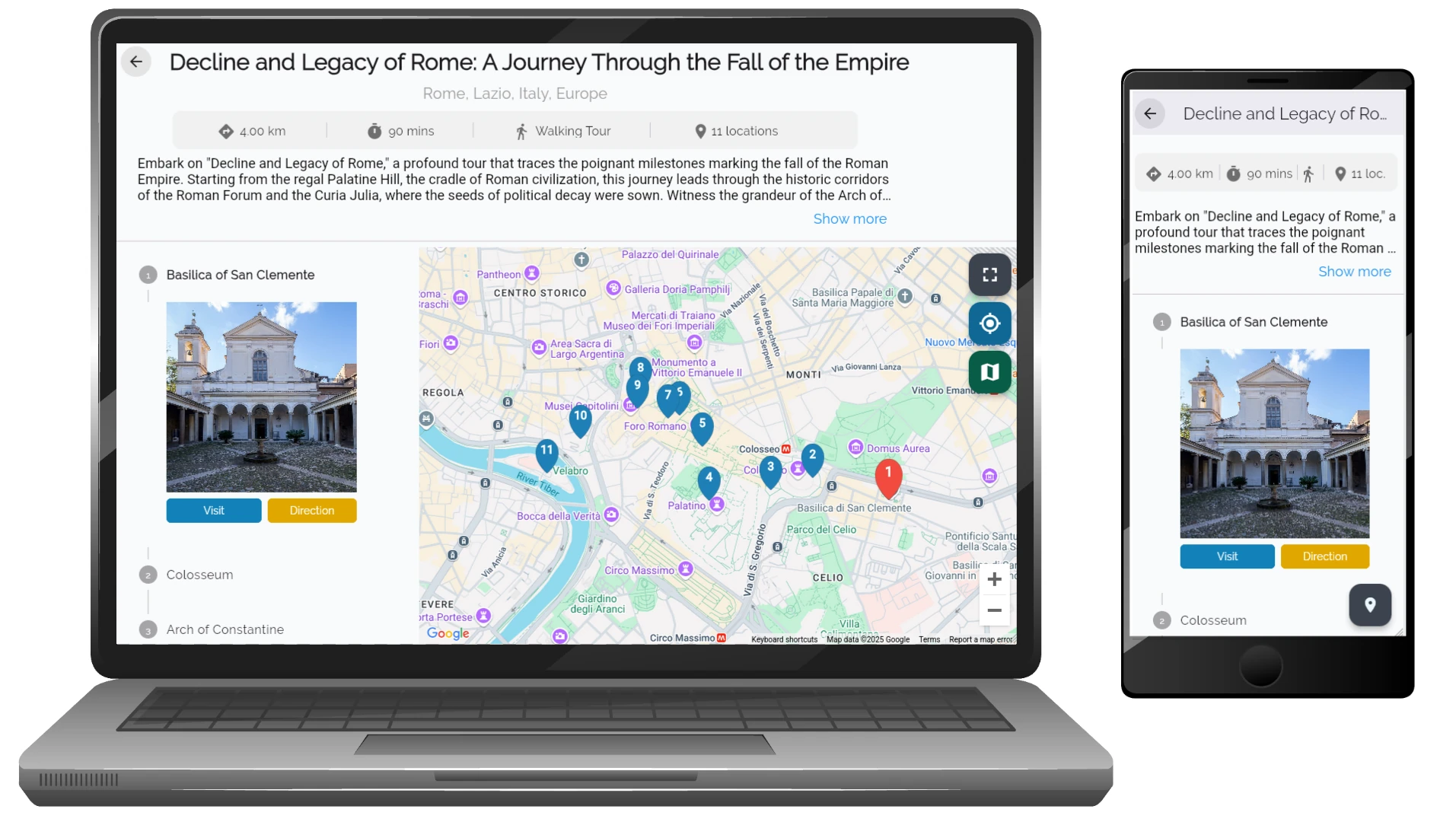
Instead, VoxTour.ai displays the list of stops (locations) included in the tour.
Each stop displays:
- Stop number and name
- Photo preview
- Visit button (opens location details and audio story)
- Direction button (opens navigation to the stop)
You can explore stops in order or jump to any location.
Step 4: Preview the tour route on the map
On mobile:
Tours include a Route icon (map/book icon). Tapping the Route icon opens the map centered on your current location.
This means:
- If you are currently in a different country, the route may not be immediately visible.
- You may need to manually zoom or move the map to view the full route.
The same behavior applies when tapping Direction - navigation is based on your current location.
On desktop:
The map appears alongside the tour content.
This makes it easier to:
- View the entire tour route
- Understand stop locations
- Explore the path even if you are not physically in the destination city
Step 5: Start listening at a stop
To begin listening:
Tap or click Visit next to a stop.
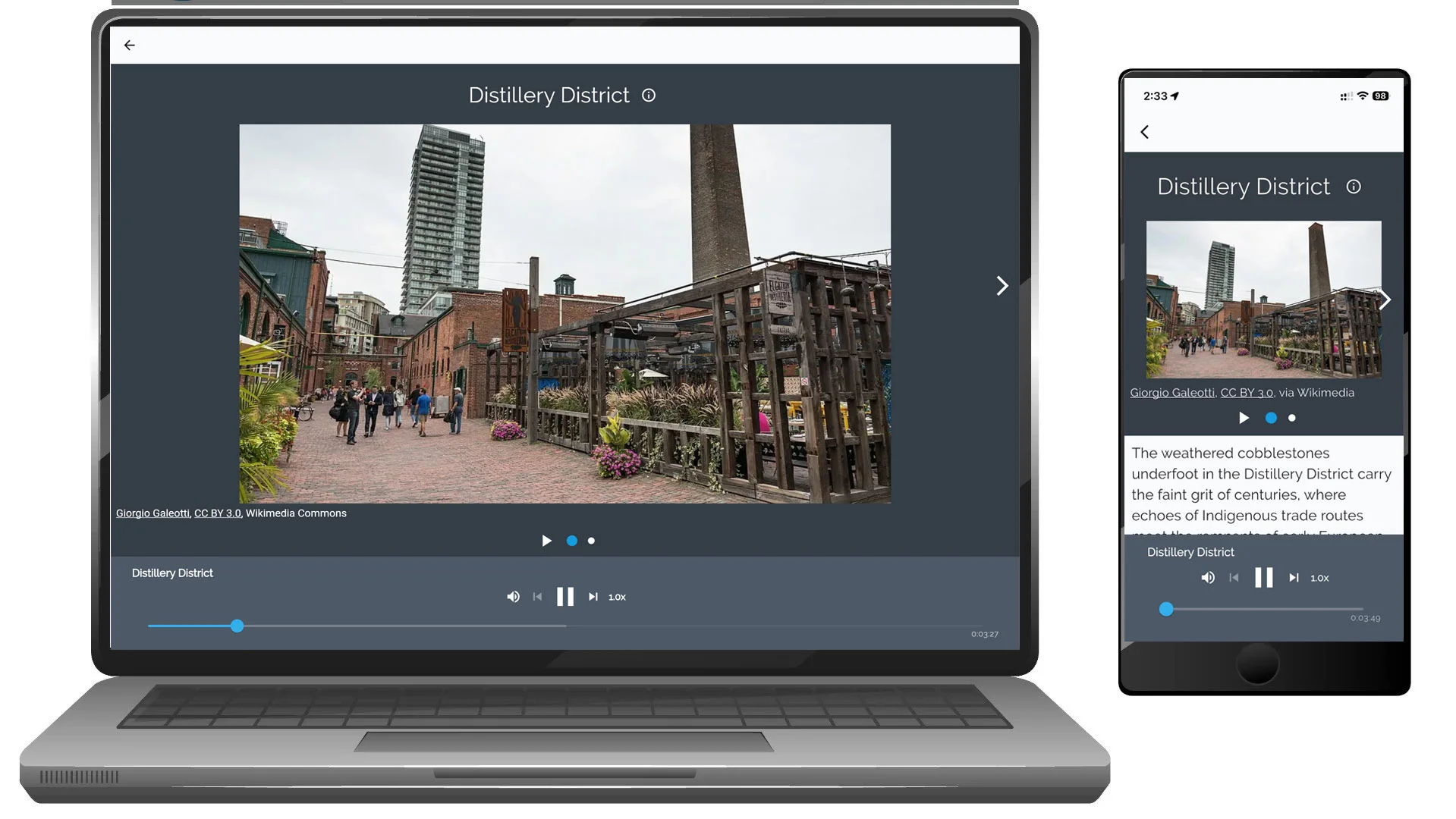
When you select Visit, VoxTour.ai:
- Opens the stop page
- Launches the audio player
- Starts the story for that location
You can start from any stop, you do not have to follow the route in order.
Step 6: Use directions to navigate
The Direction button helps you navigate to a stop using map navigation.
On mobile:
- Directions may open navigation based on your current location.
On desktop:
- You can preview the stop location and route on the map before traveling.
Step 7: Use the audio player
While listening, you can:
- Pause or resume playback
- Skip forward or backward between stops
- Adjust playback speed
- Continue exploring the map while listening
You can stop and resume the tour anytime.
Step 8: Explore stops during the tour
While following the tour, you can:
- Open the map to see upcoming stops
- Select stops manually
- Read descriptions and view images
- Use navigation directions between locations
Flexible listening experience
With VoxTour.ai, you can:
- Follow the tour route step-by-step
- Visit stops in any order
- Pause and continue later
- Combine guided tours with spontaneous exploration
Tip:
Before starting a tour, preview the route on desktop or zoom out on mobile to better understand the full walking path.
Smart Exploration Tools
Smart Exploration Tools (Mobile Only)
VoxTour.ai includes intelligent mobile exploration tools that help you discover stories around you automatically or identify landmarks using AI.
These tools are available from the Smart Tools menu inside the mobile app.
Access Smart Exploration Tools
- Open the VoxTour.ai mobile app
- Open the map screen
- Tap the Smart Tools button
- Select:
- Navigator
- Frame
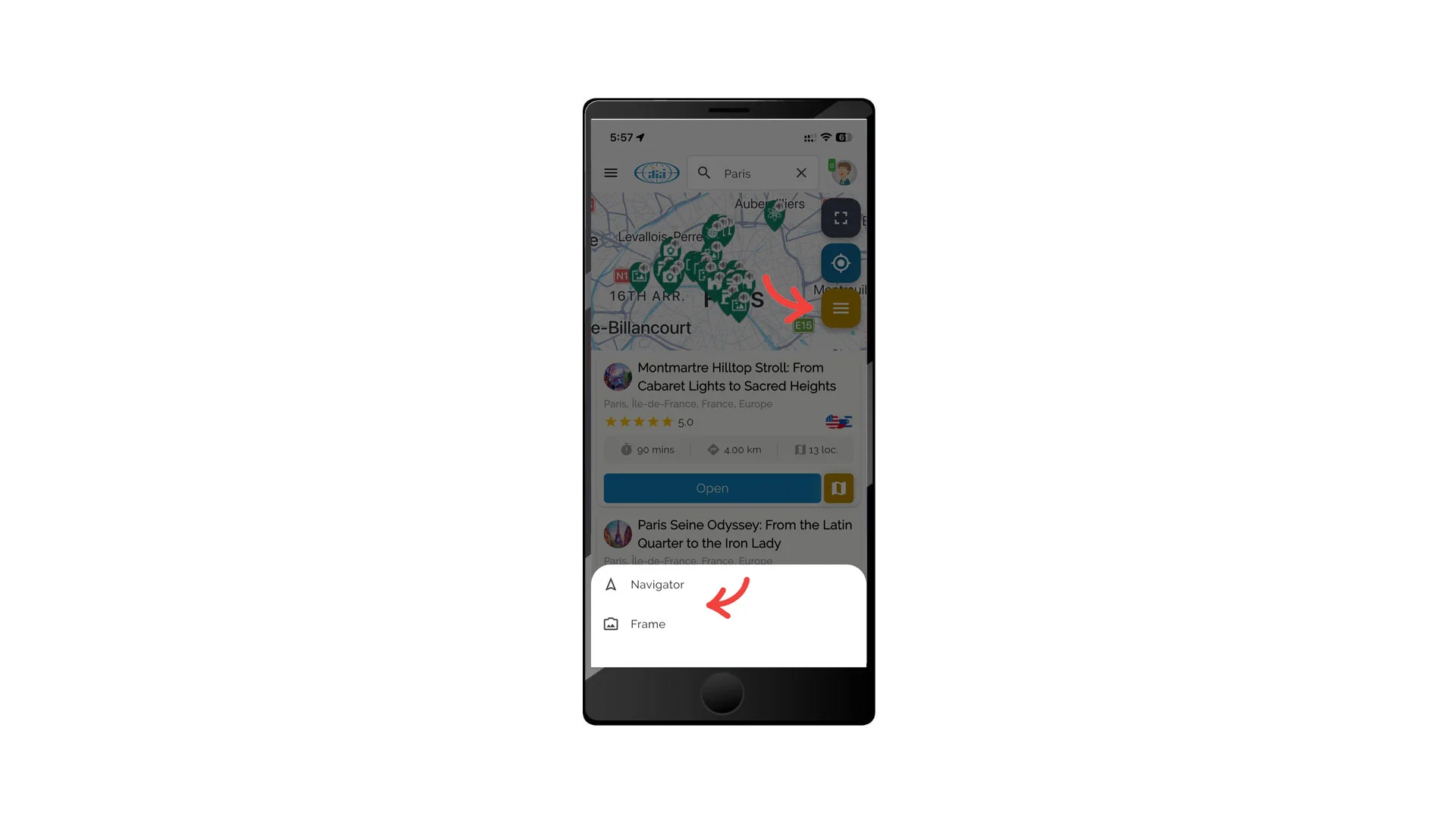
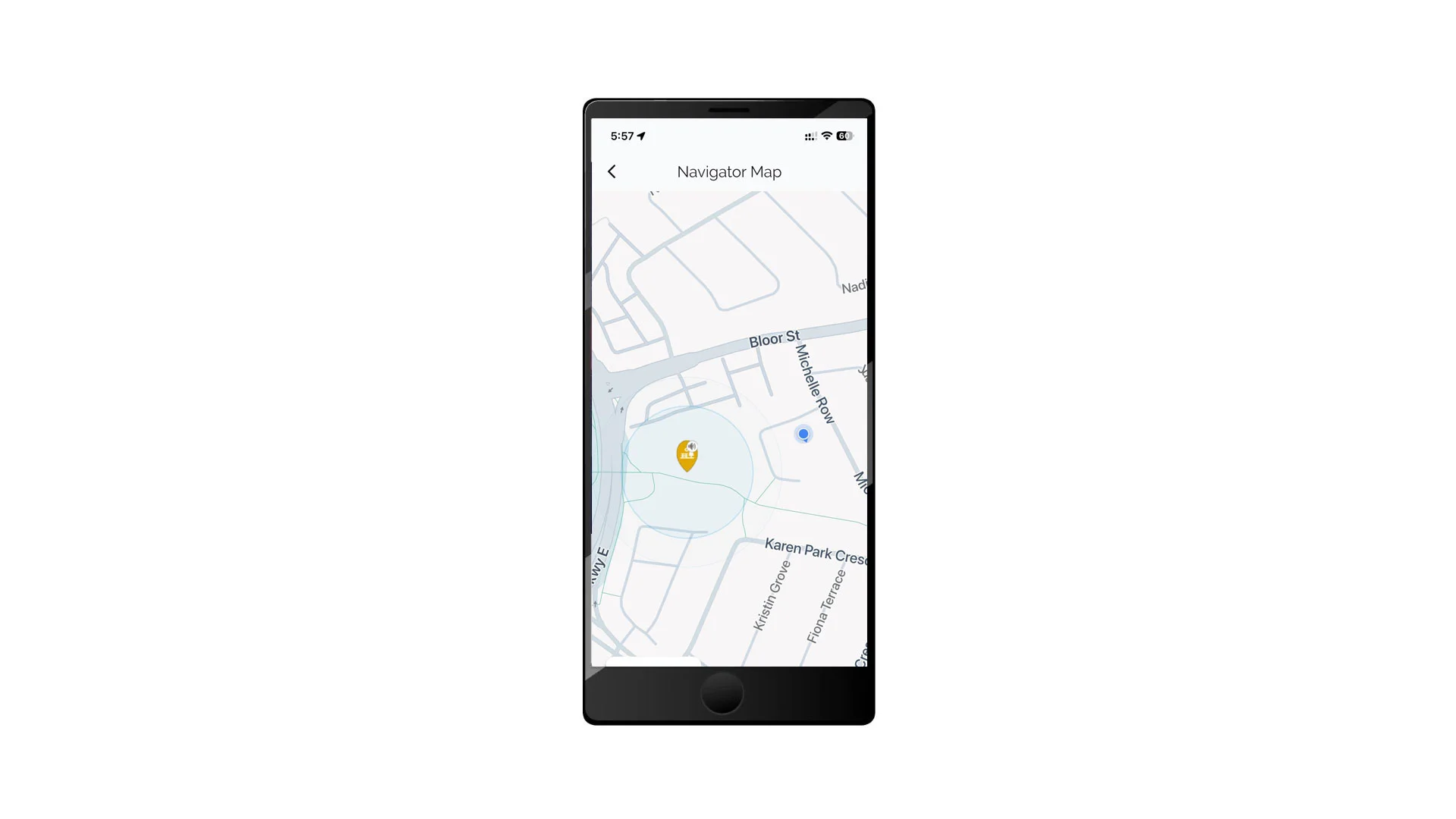
Navigator
Navigator provides automatic, location-aware storytelling while you walk or explore.
How Navigator works
When you activate Navigator:
- The system detects your current location
- VoxTour.ai searches for the closest Points of Interest (POIs) around you
- As you move and cross POI boundaries:
- The app automatically launches the story
- The system determines from which direction you approach
- The story adapts based on your location and movement
Navigator allows you to explore cities naturally without manually selecting stops.
To use Navigator
- Open Smart Exploration Tools
- Tap Navigator
- Allow location access if prompted
- Start walking — VoxTour.ai will automatically guide you
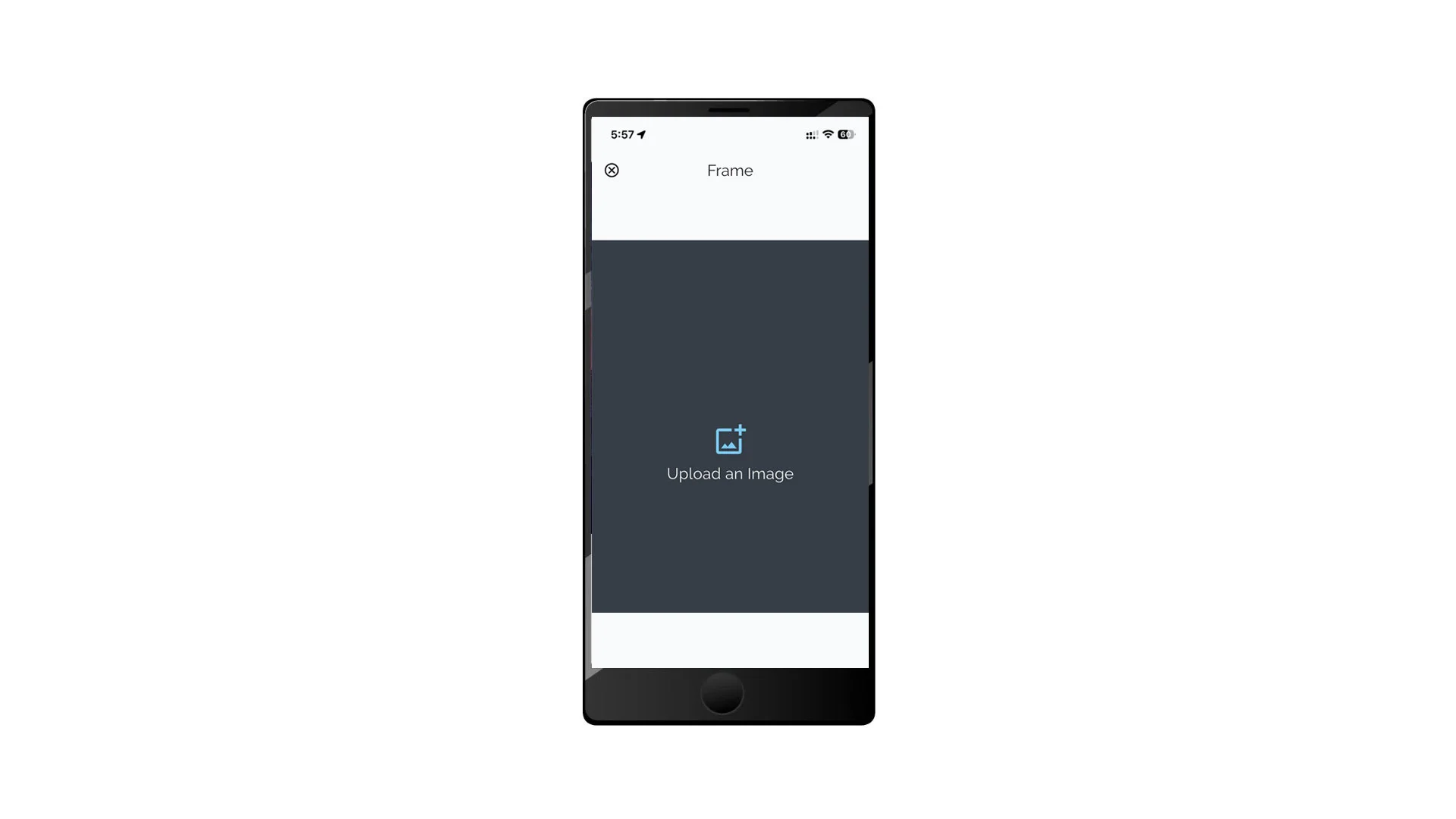
Frame (Image Recognition)
Frame uses AI image recognition to identify landmarks and generate audio stories.
How Frame works
When you use Frame:
- You upload or capture an image of a landmark or object
- VoxTour.ai analyzes the image using AI
- The system identifies the location or object
- A related story or explanation is generated automatically
Frame allows spontaneous discovery without searching or browsing tours.
To use Frame
- Open Smart Exploration Tools
- Tap Frame
- Upload or capture an image
- Wait while the AI processes the request
- The story will be generated once recognition is complete
Tips for Best Results
- Enable location services when using Navigator
- Use clear, well-lit photos when using Frame
- Stand facing the landmark for better recognition accuracy
- Allow a few moments for AI processing when using Frame
⚠️ Smart Exploration Tools are available only on mobile devices.
Account Management
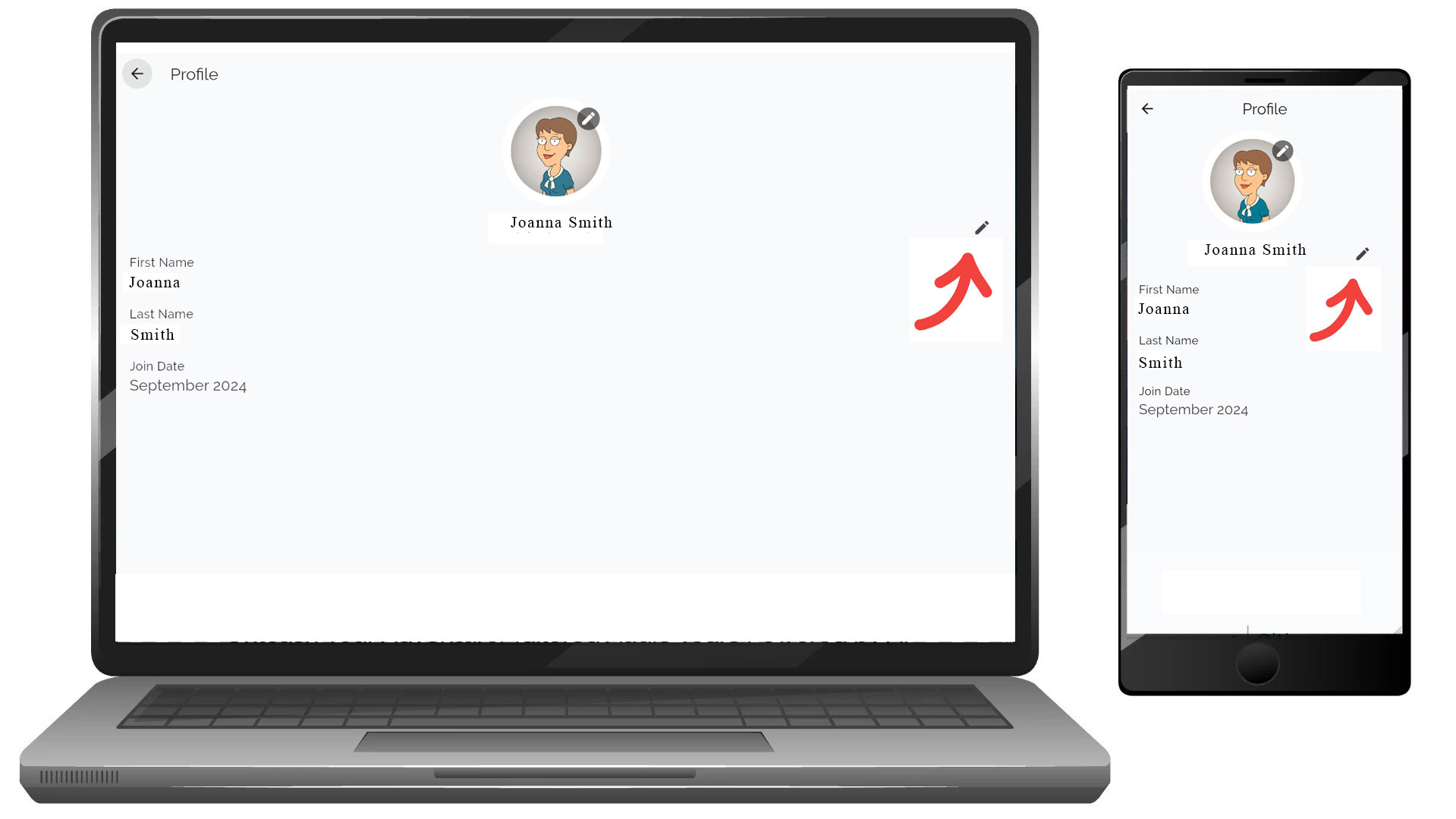
Managing your account profile is quick and straightforward. Follow these steps to edit your personal details like your first name, last name, nickname, and birth year.
How to Access the Profile Edit Page
- Log in to your account.
-
Navigate to the Profile section.
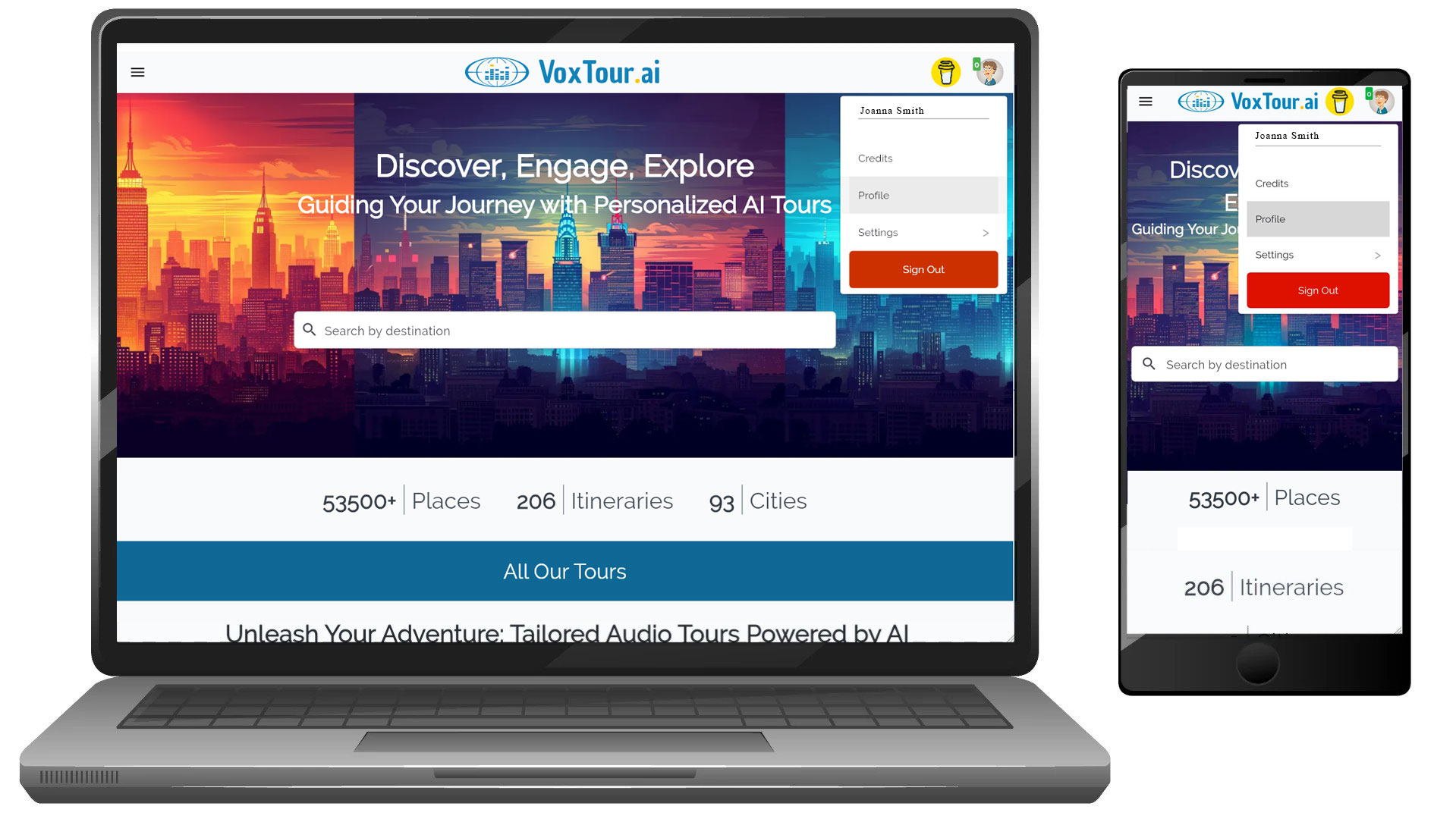
- Click on the Edit Profile icon (the pencil icon) located near your profile picture.
Editing Your Profile Information
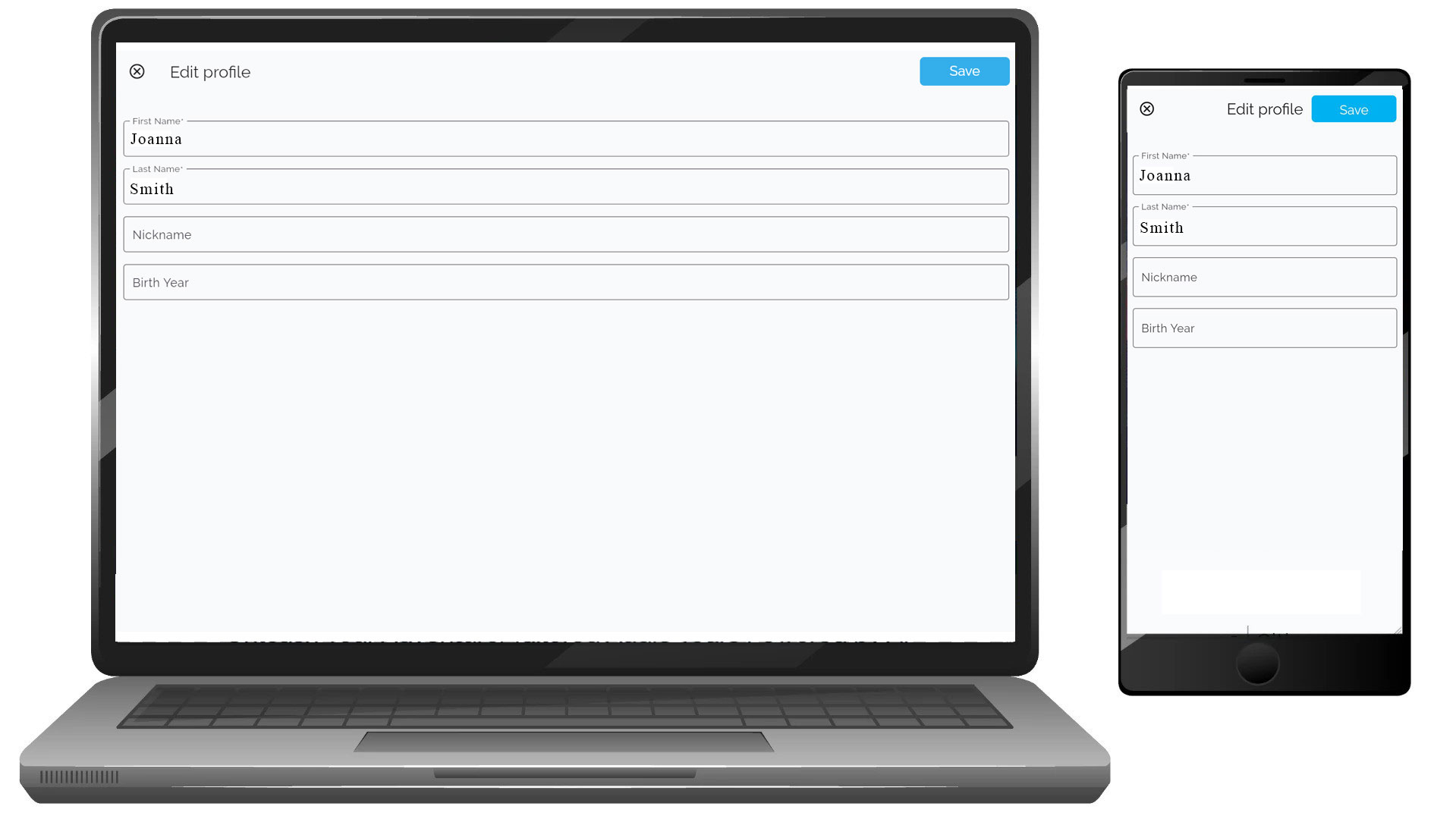
On the Edit Profile page, you can modify the following fields:
- First Name: Update your first name as it will appear on your profile.
- Last Name: Change your last name to reflect updated information.
- Nickname: Add or edit your nickname for a more personalized touch.
- Birth Year: Adjust your birth year to ensure your profile is accurate.
[ ]
]
Saving Changes
- After updating the necessary fields, click the Save button at the top right corner of the page.
- Your changes will be saved immediately, and your profile will be updated.
Viewing Updated Profile
- Once saved, you will be automatically redirected to the Profile page where you can verify the updated information in your profile summary.
- Verify the updated information in your profile summary, which includes your name and other relevant details.
Additional Notes
- Profile Picture: You can also update your profile picture by clicking the pencil icon over your avatar.
- Some fields may not be editable depending on your account type or permissions.
- If you encounter any issues while editing your profile, contact our support team for assistance.
By following the steps above, you can easily manage your account details to ensure your profile stays accurate and up-to-date.
Settings
Settings
VoxTour.ai allows you to manage your account credentials, language preferences, and profile settings easily from the Settings menu.
Settings are available on both mobile and desktop, and the functionality is the same across platforms.
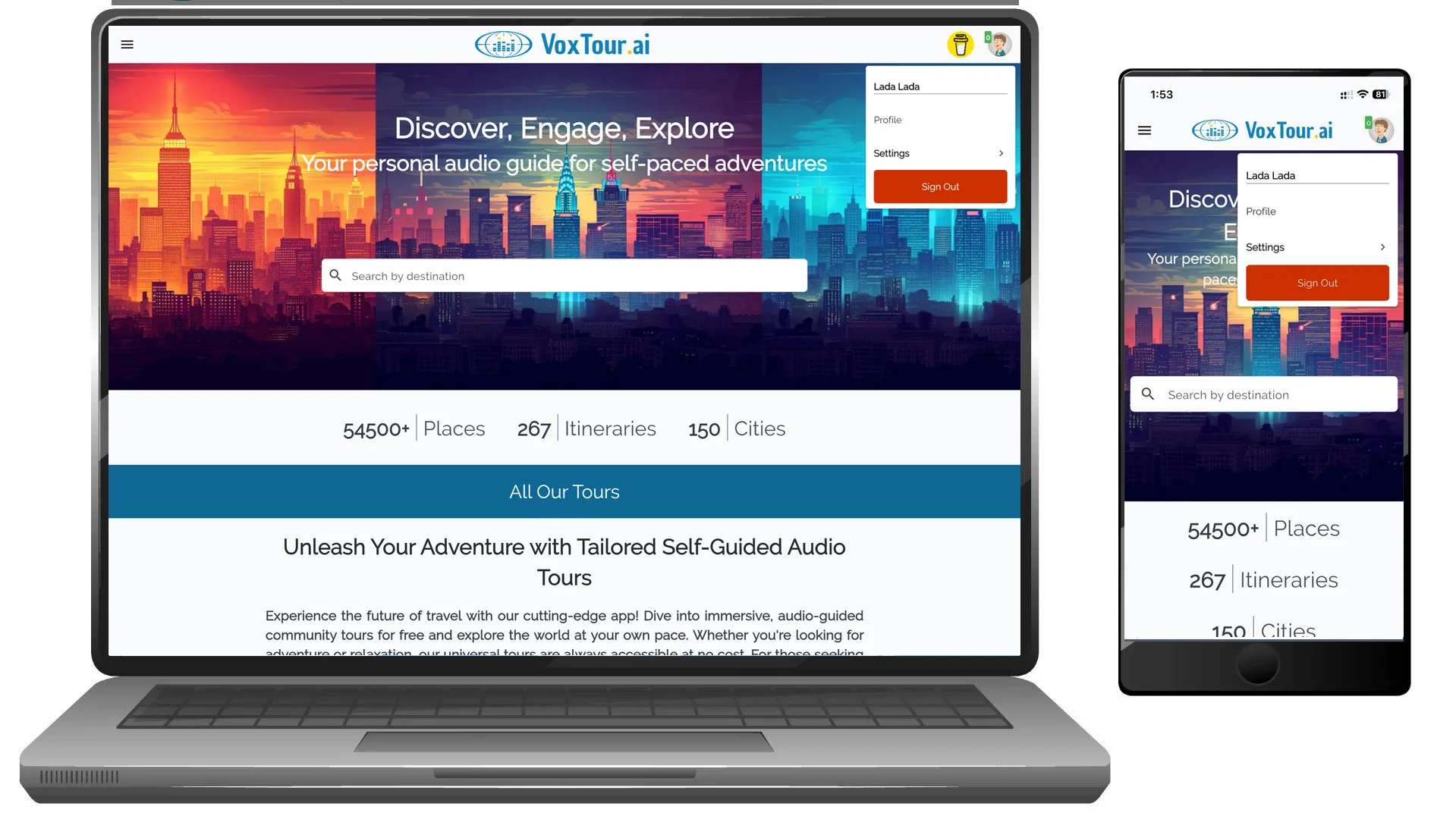
Step 1: Open Settings
On mobile:
- Tap your profile avatar in the top-right corner.
- Tap Settings.
On desktop:
- Click your profile avatar in the top-right corner.
- Select Settings from the dropdown menu.
Step 2: Open General Settings
Inside the Settings menu, tap or click General.
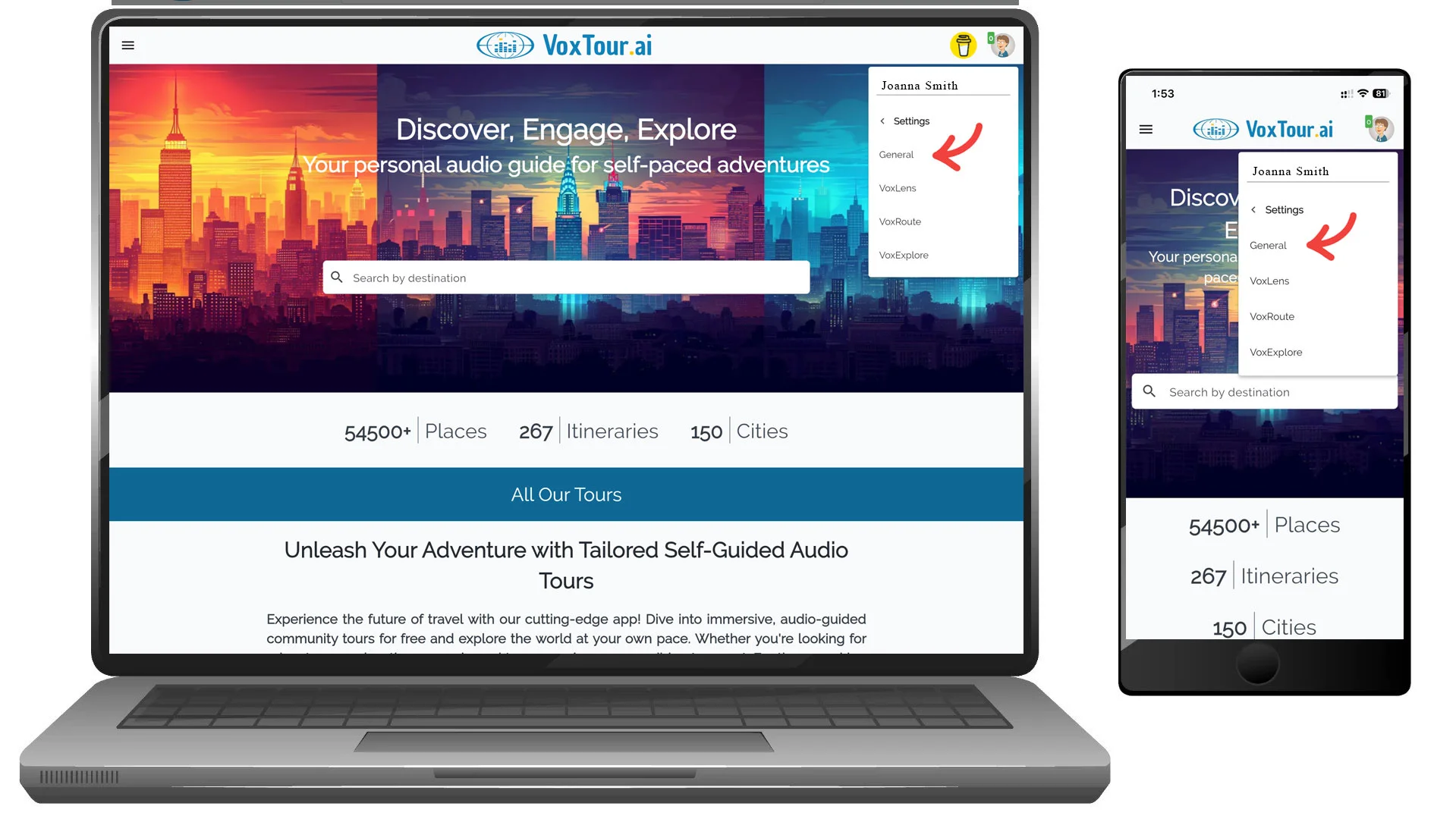
This section contains your account credentials, language preferences, and account management options.
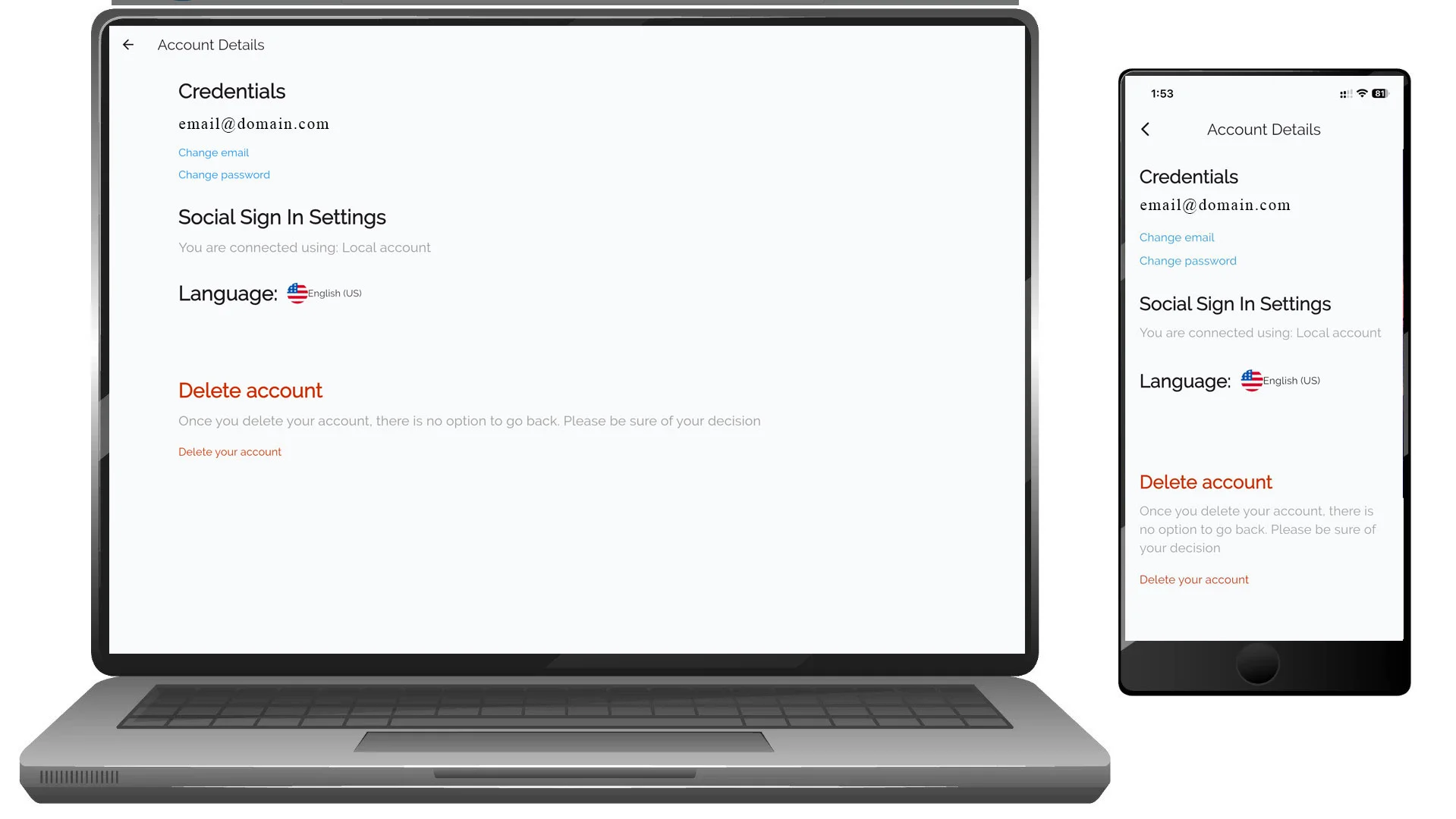
Credentials
The Credentials section displays your registered email address and allows you to update login details.
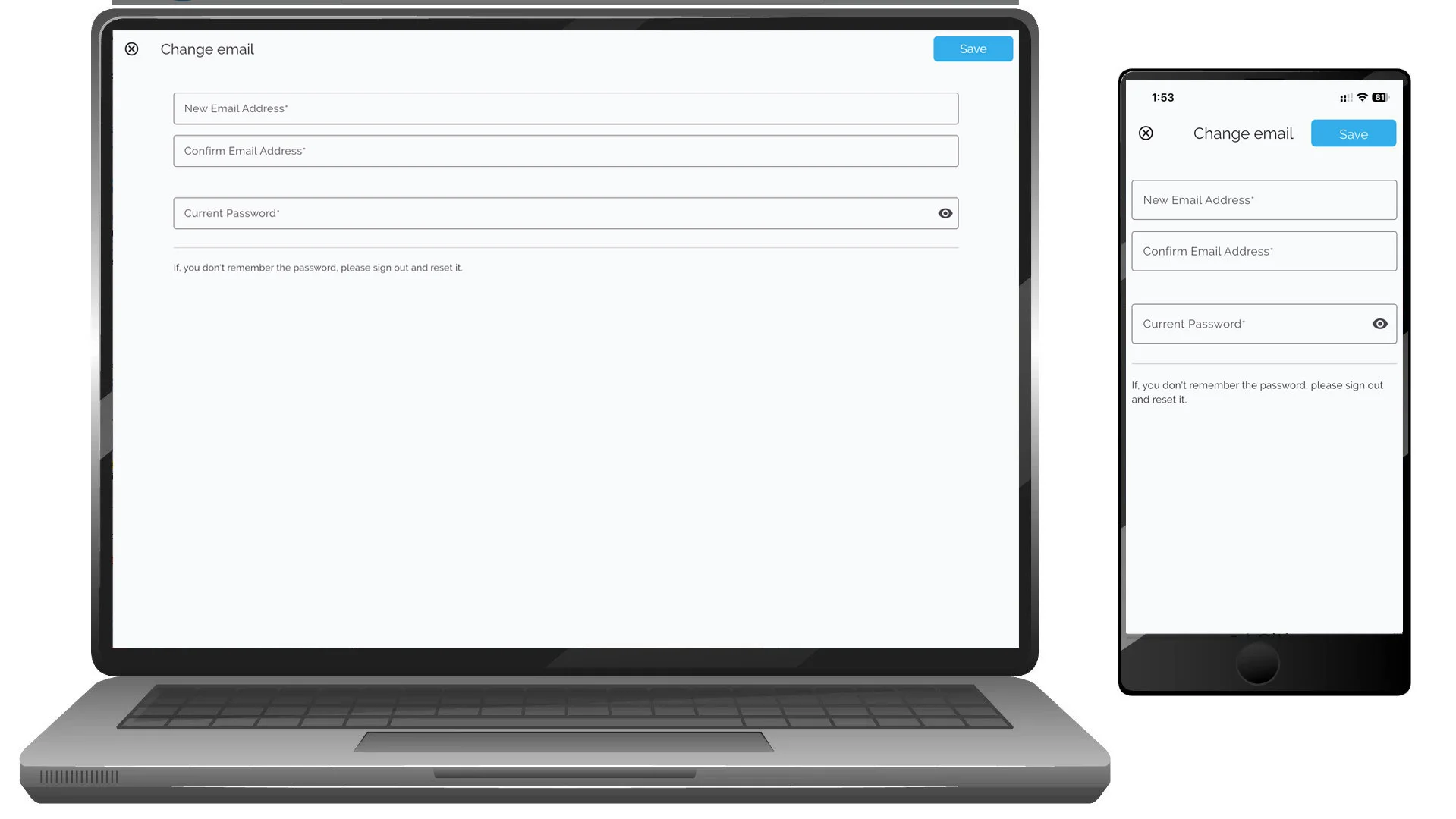
Change email address
- Tap or click Change email
- Enter:
- New email address
- Confirm email address
- Current password
- Tap or click Save
If you do not remember your password, sign out and use password reset.
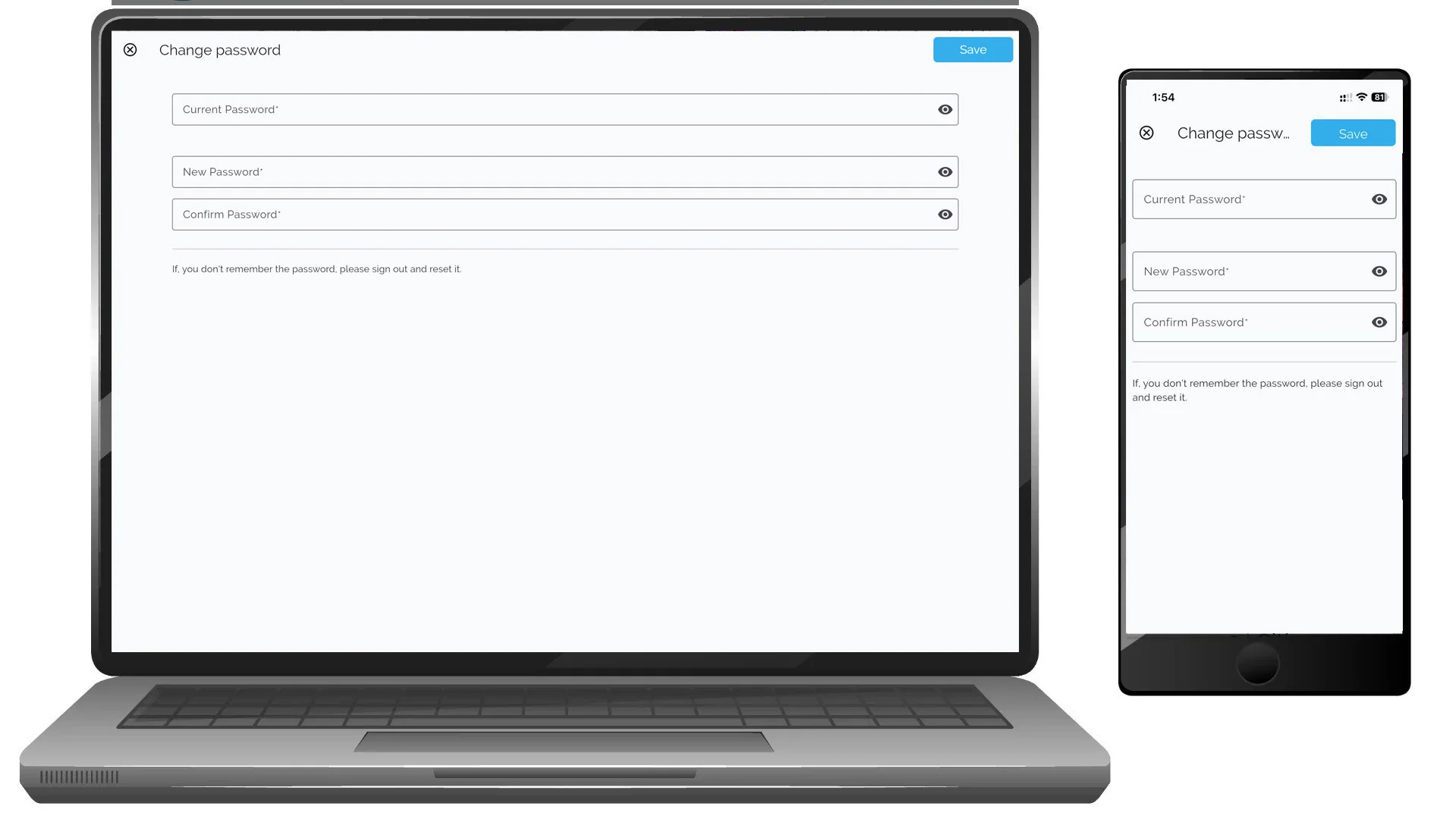
Change password
- Tap or click Change password
- Enter:
- Current password
- New password
- Confirm new password
- Tap or click Save
Social Sign-In Status
This section shows how your account is connected.
Example:
- Local account (email and password)
- Social login provider (if connected)
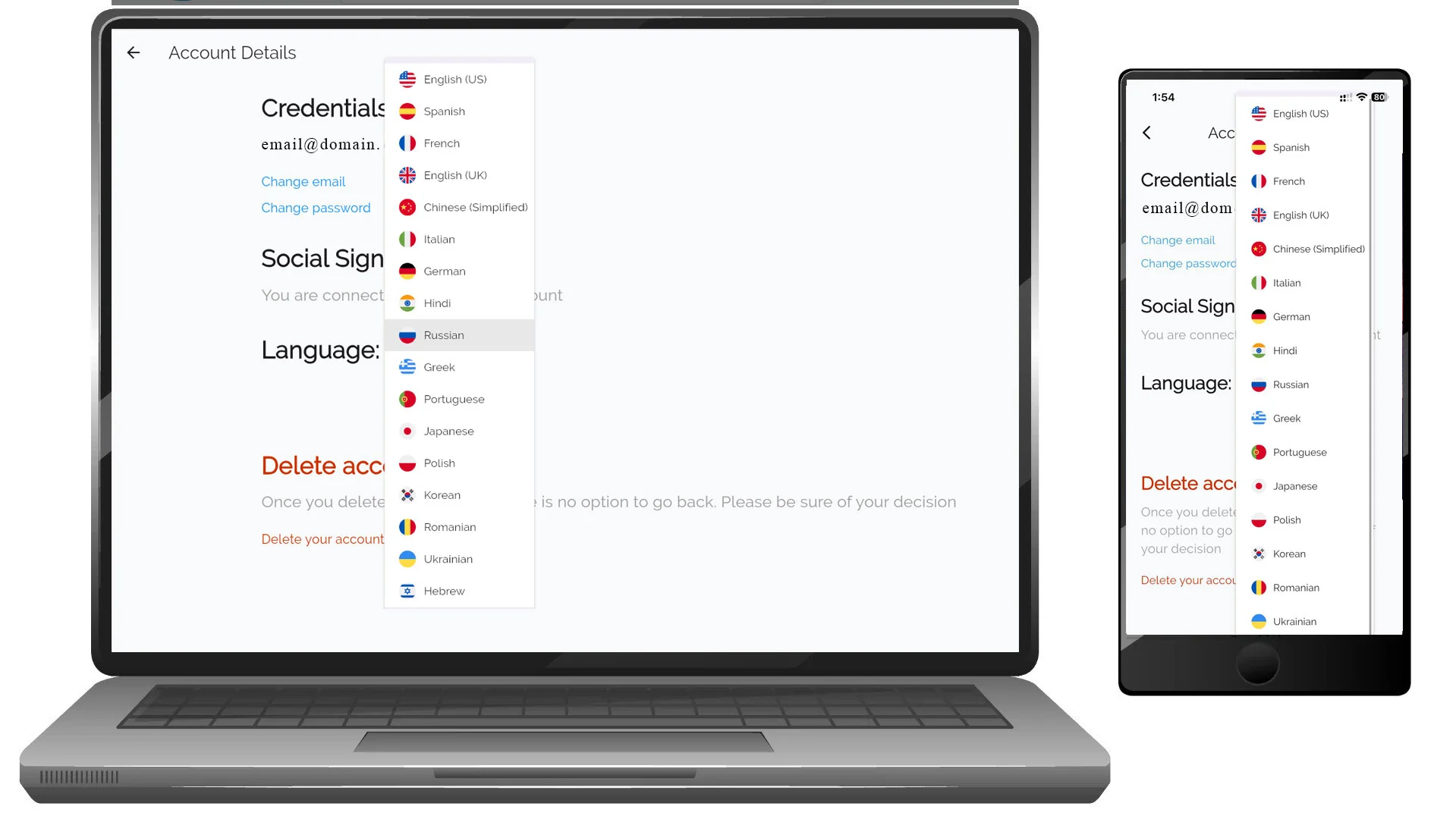
Language Preferences
You can change your app interface language at any time.
To change language:
- Tap or click the current language
- Select a new language from the list
- The app updates automatically
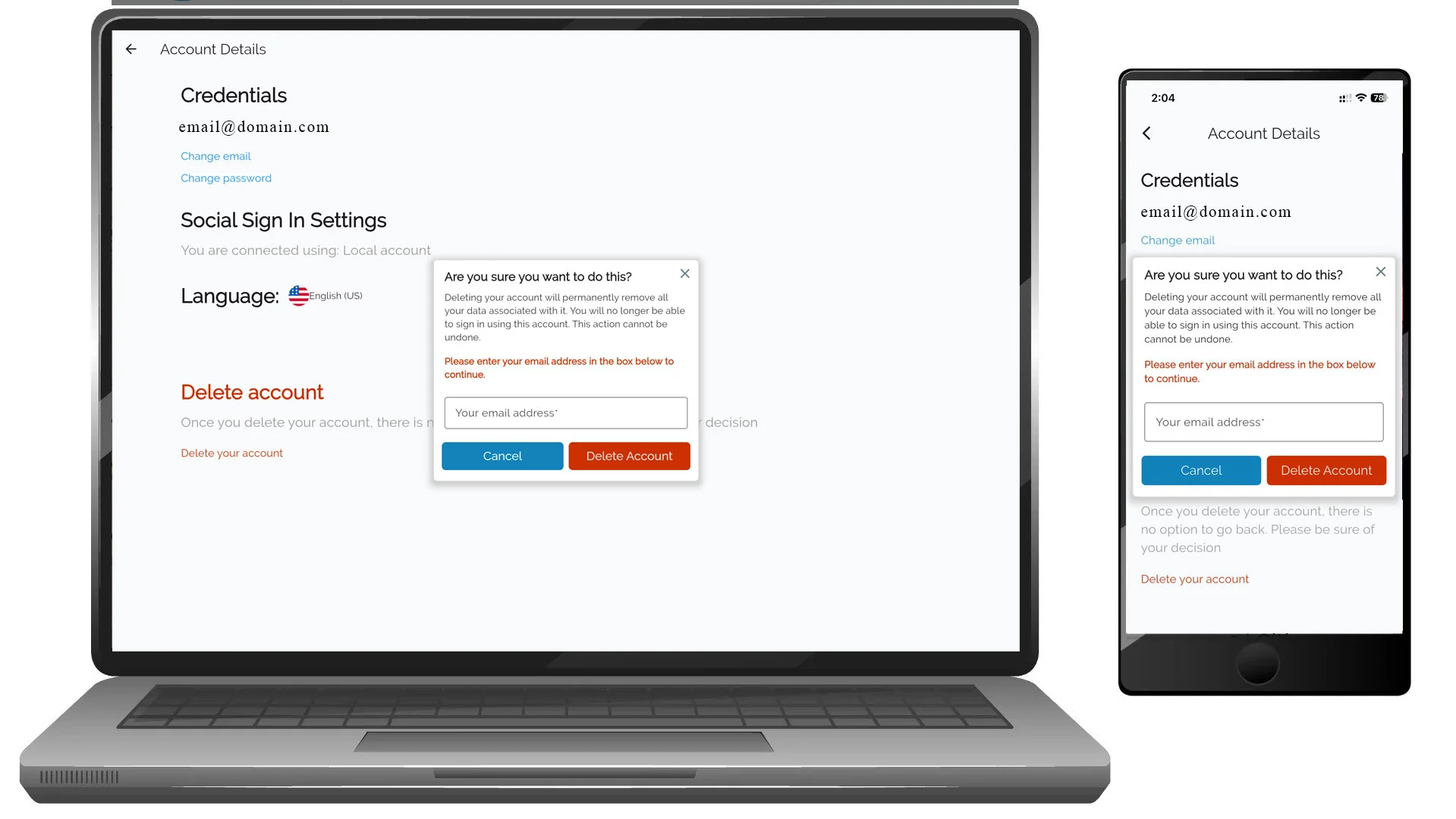
Delete Account
You can permanently delete your VoxTour.ai account from Settings.
⚠️ Deleting your account:
- Removes your account data permanently
- Cannot be undone
- May remove saved tours and preferences
To delete your account:
- Tap or click Delete your account
- Confirm your decision when prompted
Additional Settings Sections
Depending on your account and features enabled, you may also see:
- VoxLens – AI image recognition and storytelling settings
- VoxRoute – Tour and navigation preferences
- VoxExplore – Discovery and exploration settings
Tips
- Keep your email updated to ensure access recovery.
- Use a strong password for security.
- Set your preferred language before starting tours for the best experience.